
MenuClose
HEALTHCARE UX · RESPONSIBLE AI
CareBridge
Screening guidance that earns trust before asking for action.
An AI-assisted, culturally grounded screening navigator for Korean-American patients—designed to explain, prepare, and connect without pretending technology can replace care.
STATUS Concept direction, not shipped · cited 57% → 72% and 500-person evidence are source references, not CareBridge product results.
01 · THE PROBLEM
Screening friction begins before a patient reaches the clinic.
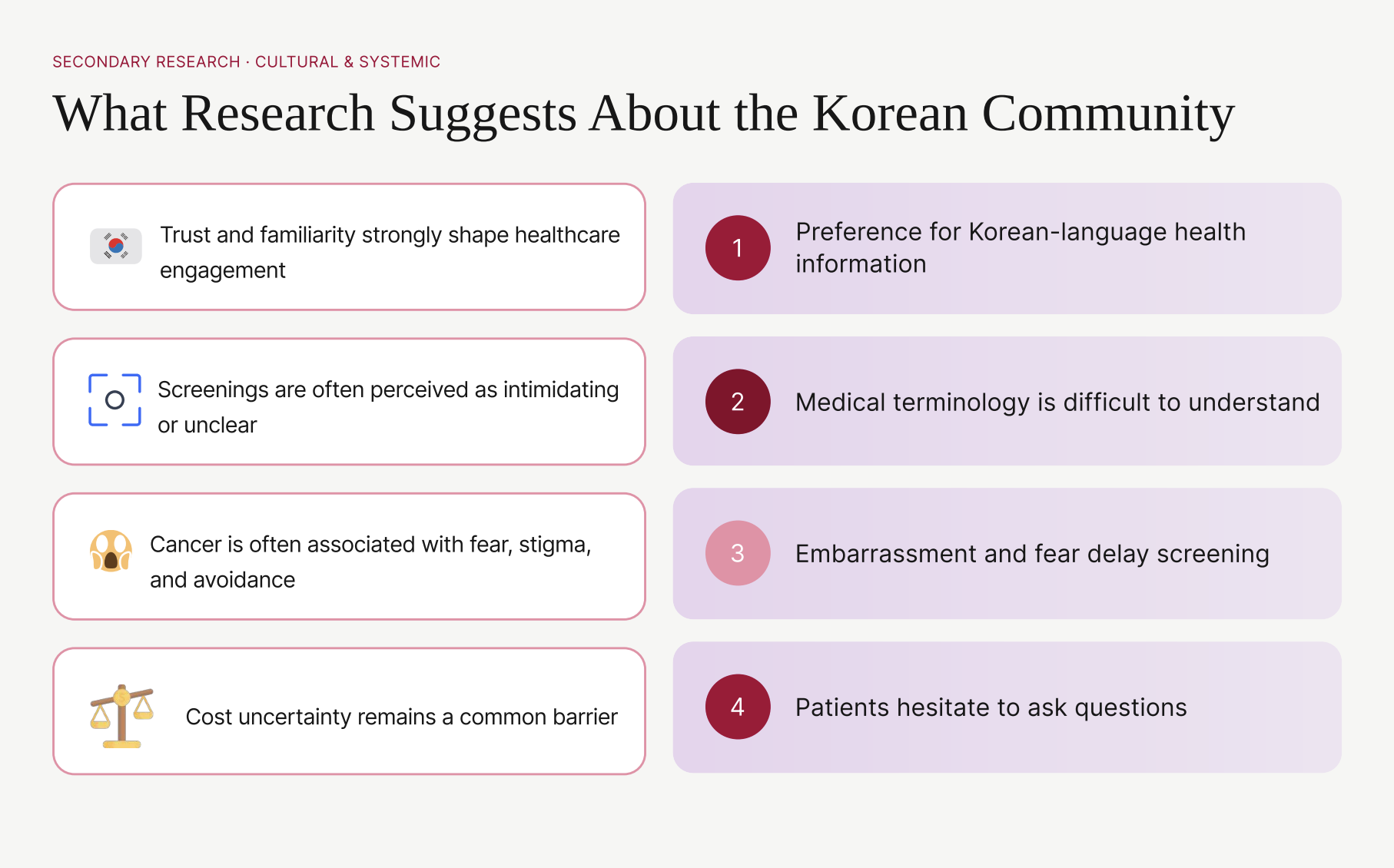
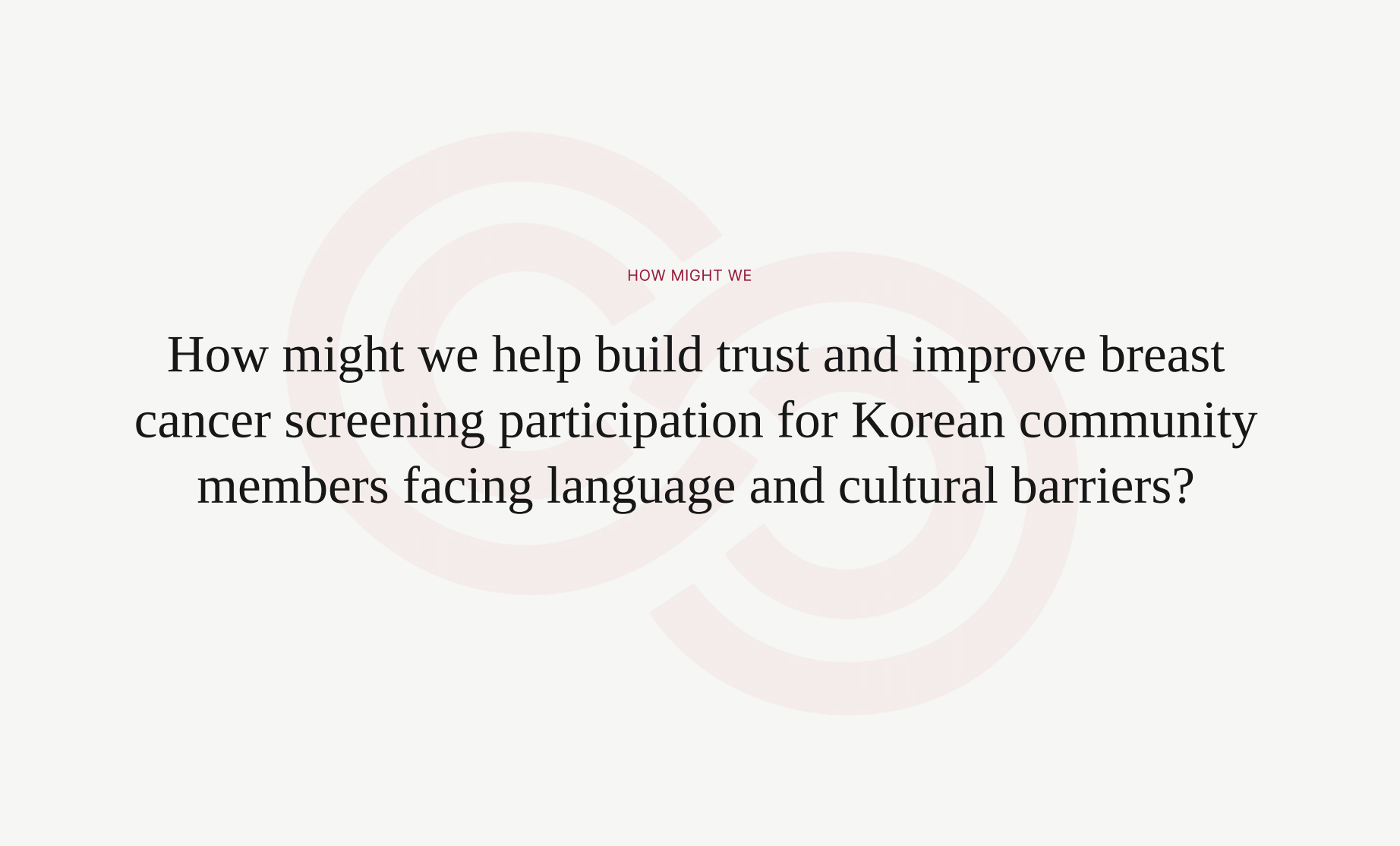
The supplied research connects screening hesitation to language preference, difficult medical terminology, fear, uncertainty about cost or referrals, and discomfort asking questions. A useful navigator therefore has to prepare and connect—not simply translate or persuade.
02 · RESEARCH
Language, trust, and the exact moments screening breaks down.
The studio synthesis is traced end to end: every community signal is interpreted, turned into a product decision, and paired with the evidence that would validate it.
Korean-language information is preferred, while medical terminology remains difficult to understand.
Translation alone is not comprehension; language must be paired with plain explanations and visual next steps.
A persistent EN / KO / ES / ZH switcher, plain-language cards, and confirmation in the selected language.
Language comprehension · task completion · translation confidence
Embarrassment, fear, and uncertainty about cost or referrals can delay screening.
The experience must lower emotional and logistical friction before asking for commitment.
Private self-guided education, cost/referral preparation, and a reversible reminder-to-check-in path.
Questions surfaced · readiness to continue · handoff comprehension
People hesitate to ask questions and may trust familiar community figures more than an unknown system.
Adoption should travel through existing trust—not ask users to trust AI first.
Navigator endorsement, community stories, visible sources, and one-tap human escalation at every high-stakes step.
Source recognition · escalation use · perceived control
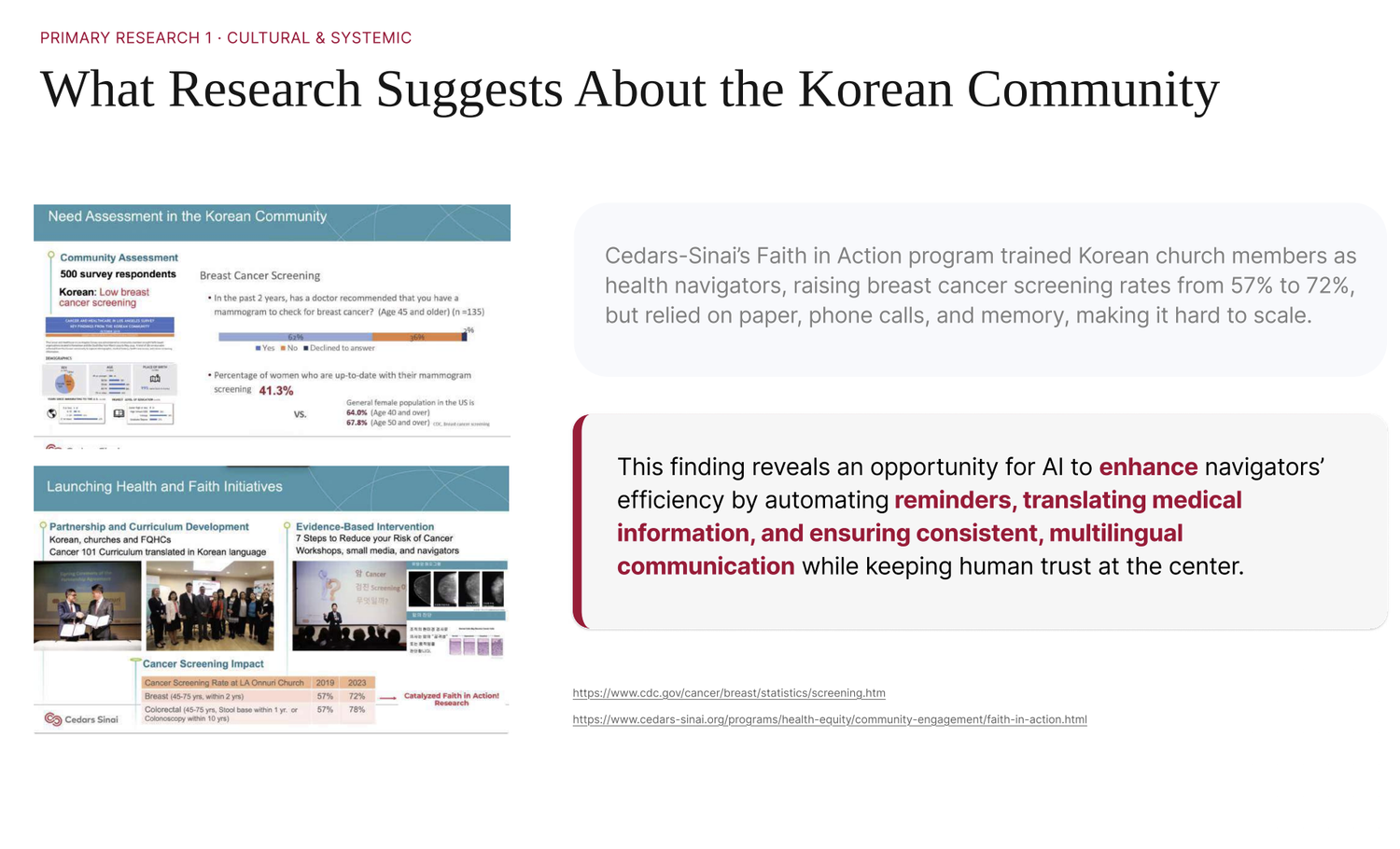
A cited Faith in Action program reports screening growth from 57% to 72% after training Korean church members as lay navigators.
Community navigation can work, but a paper / phone / memory workflow is difficult to sustain and scale.
Digitize preparation, reminders, and handoff while keeping the trusted navigator in the loop.
Follow-through · navigator workload · missed-step recovery

Reassurance before action
Synthesized from documented project themes · no demographic identity assumed
SYNTHESIZED NEEDUnderstand what happens next before asking someone to help.
Trusted community relationships shape which health information feels safe enough to act on.
Plain Korean, visible sources, time to learn privately, and a familiar human when the decision becomes personal.
Medical terminology, embarrassment, cost and referral uncertainty, and fear of asking the “wrong” question.
Bridge private preparation to a consented navigator or clinic handoff without pretending AI is the trusted relationship.
Research integrity: This lens organizes themes in project and source materials. It is not a persona portrait, participant quotation, or frequency claim.
Do I trust who sent this?
FamiliarityWhat does this mean for me?
ClarityCan I afford or access this?
AnxietyWho will receive my information?
ControlWhat happens if I get stuck?
Support03 · KEY DECISIONS
The product earns trust by showing where the system stops.
Let AI explain. Make humans own care.
- Constraint
- The system must help with a next step without presenting generated guidance as diagnosis, eligibility, cost, or clinical advice.
- Considered
- An AI-first assistant with a disclaimer, a static information page, and a guardrailed assistant with explicit human escalation.
- Choice
- I chose the guardrailed model: approved education and question preparation stay in the interface; personal judgment, uncertainty, and care ownership move to a navigator or clinic.
- Tradeoff
- Human escalation adds navigator work, so the handoff carries structured language, readiness, and consent context instead of a raw conversation.
- Evidence
- The cited Faith in Action program signal improved from 57% to 72% through trusted lay navigators, not through technology alone.
Design for comprehension, not translation alone.
- Constraint
- Preferred-language information can still fail when medical terminology, cost, and referral steps remain unclear.
- Considered
- A one-time language selector, translated long-form pages, and a persistent language control paired with plain-language cards and source visibility.
- Choice
- I chose the persistent language and plain-language pattern, with confirmation in the selected language.
- Tradeoff
- Every additional language increases content-governance work, but reduces the risk of a user continuing with a misunderstood next step.
- Evidence
- The supplied synthesis repeatedly connects language preference with terminology difficulty and hesitation to ask questions.
Start with a trusted invitation, not an unknown chatbot.
- Constraint
- People may trust a pastor, navigator, clinic, or community story before they trust a new AI system.
- Considered
- Direct app acquisition, clinic-only referral, and a community-to-digital handoff.
- Choice
- I chose the community-to-digital handoff, keeping the familiar person visible and the system’s sources inspectable.
- Tradeoff
- Adoption depends on partner workflows, but the product does not spend its first interaction asking for unearned trust.
- Evidence
- The supplied source evidence links screening participation to familiar community figures and navigator support.
AI CAN
- Explain approved information
- Rephrase in plain language
- Help prepare questions
- Route to relevant local support
AI CANNOT
- Diagnose or assess symptoms
- Guarantee eligibility or cost
- Replace a clinician or navigator
- Book or share data without confirmation
ESCALATE WHEN
- The user asks for a person
- Symptoms or urgency appear—route to appropriate clinical or emergency guidance
- Confidence is low
- Cost, referral, or scheduling needs human ownership
04 · FINAL PRODUCT
Prepare privately, inspect the source, and hand off with consent.
Every walkthrough below is recorded 1:1 from the Figma prototype file — the exact flows from the project, nothing rebuilt.
RECORDED 1:1 FROM THE FIGMA PROTOTYPE · PLAYS AS YOU SCROLL
Language selection
EN / KO / ES / ZH switch on entry — the first trust gesture before any content loads.
Screening check-in
The four-step check-in: readiness, timing, help — ending in a saved plan, not a diagnosis.
Education hub
Culturally tailored guides answer “what to expect” before asking for any action.
Navigator AI chat
Grace, the navigator AI, states its limits and books the human handoff.
05 · THE SYSTEM BEHIND IT
One blueprint connects the interface, the humans, and the data rules.
The service blueprint, the complete task flow, and the documented design system — the operational layer that makes the trust promises enforceable.
FROM SKETCH TO SYSTEM — ORIGINAL WORKING FILES


Reassurance before action.
CareBridge should feel like a prepared human handoff—not a diagnostic machine.
“Explain first.
Prepare together.
Keep care human.”
VISUAL LANGUAGE — COLOR, TYPE AND COMPONENTS. HEX VALUES SAMPLED FROM THE PRODUCTION FILES, TYPE SPECS MEASURED IN THE FIGMA FILE, COMPONENTS REDRAWN IN CODE FROM THE SHIPPED SCREENS SO EVERY STATE CAN BE COMPARED SIDE BY SIDE.
Core palette
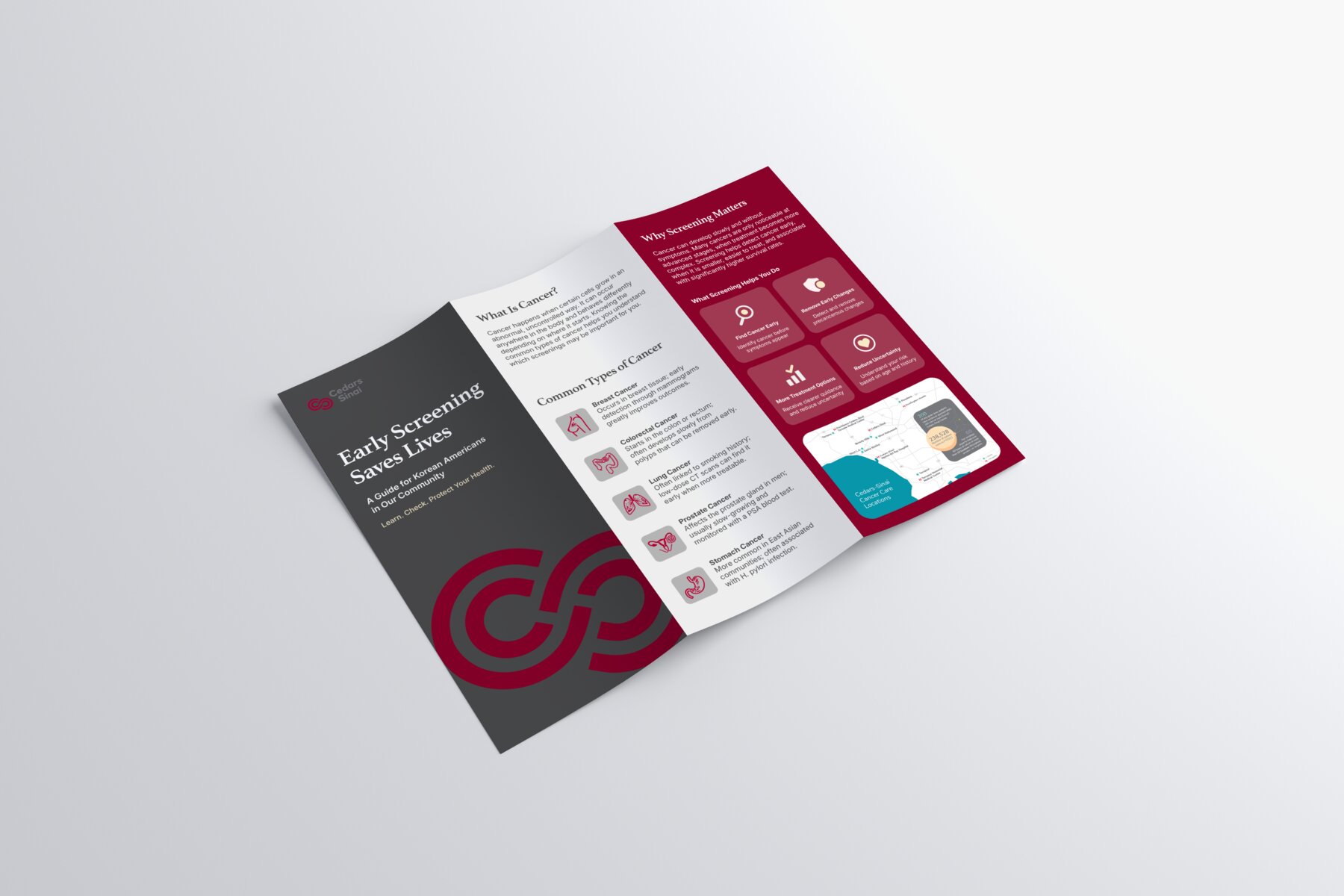
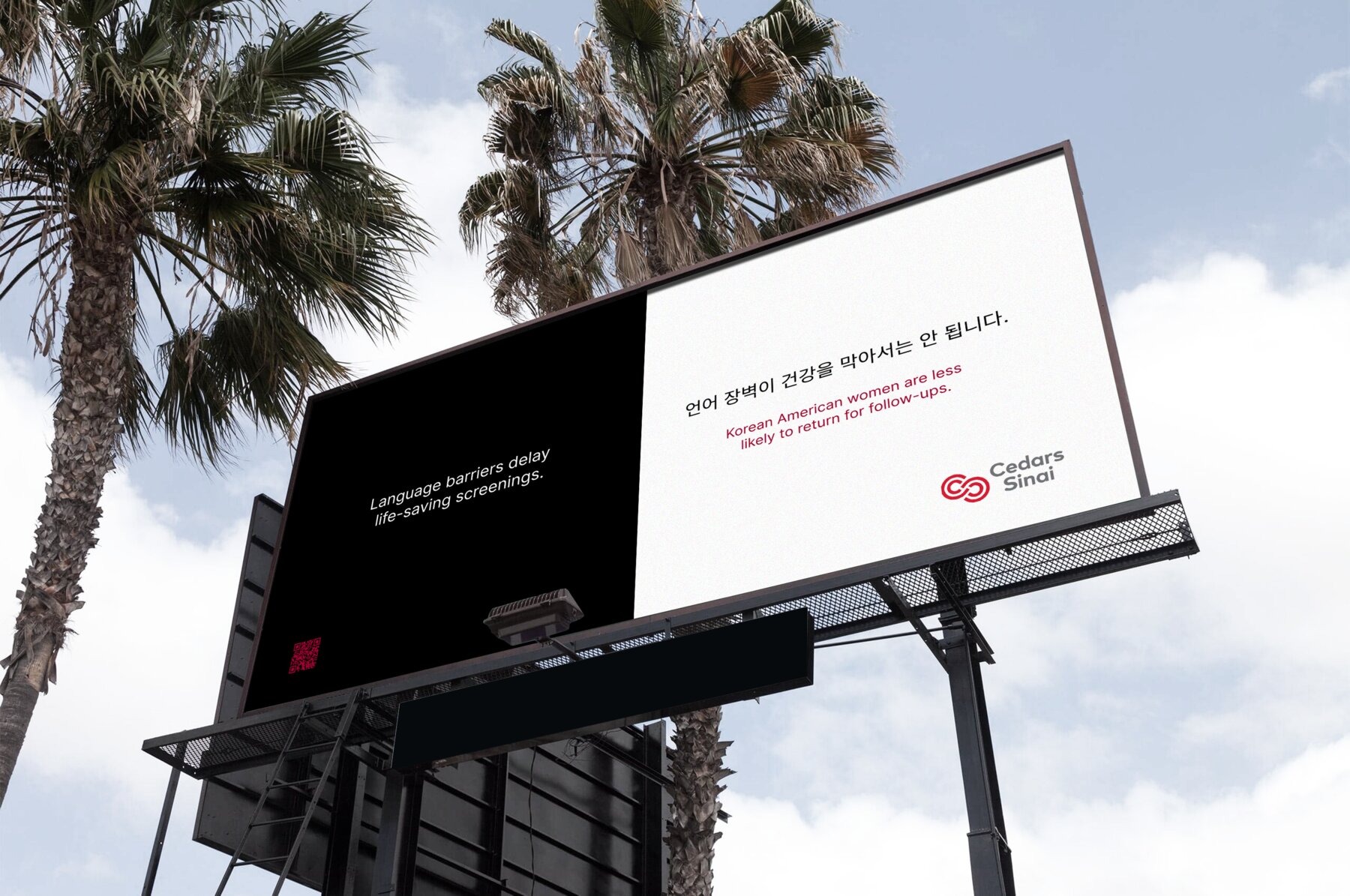
Six colors carry the whole system — app, brochure, billboard and deck. Burgundy does the work; everything else supports it.
#7F172CPrimary. Print panels, CTAs, billboards.
#791F39Gradients and dark campaign panels.
#4A4A4ADark brochure panels, body text.
#D8899EEmotional-reassurance tone in the deck.
#A1B0C2Photography and imagery tint.
#F8F8F8Backgrounds across print and screen.
Primary ramp
Ten steps built from the sampled #7F172C so tints stay on-hue instead of drifting pink. 100 is the selected-row wash, 700 is every filled control, 800 is the press state.
#FBF7F8#F5ECEE#EBDADD#D6B5BB#C2909A#AB6674#964152#7F172C#681324#530F1DWhy burgundy and not red. Western screening campaigns lean on alarm red. In our interviews that colour read as an emergency — the exact feeling we were trying to take out of the experience. Burgundy keeps the seriousness of a health service but borrows its weight from Korean institutional print — closer to a hospital letterhead than a warning label. The rose accent exists only for the reassurance moments, and it is never allowed to sit behind type.
Semantic tokens
Screens reference roles, not hex values — so a bilingual string, a print panel and a button all resolve to the same decision.
Contrast, checked not assumed
Every text pair measured against WCAG 2.1. Two colors failed and were demoted to decoration — that constraint is why the palette works for low-vision and older users.
Type scale
Two families only. Tinos carries the emotional register; Inter carries everything a user has to act on. Korean and English are set at the same size so neither reads as the translation.
Bridging cultures of care.
Campaign headline, case opener
Screening, explained in your language
Section and screen titles
What would make this easier for you?
One question per check-in step
It’s okay not to be ready. Learn privately, or ask a person for help.
Guides, explanations, chat
Your answers are never shared with your employer.
Reassurance and disclosure copy
STEP 2 OF 4
Eyebrows, steppers, tab labels
Components & selection states
The check-in is a chain of single decisions, so the selected state had to be readable at arm’s length and without relying on color alone — border weight, fill and a mark all change together.
BUTTONS
DEFAULT · PRESSED · SECONDARY · GHOST · DISABLED
FILTER CHIPS — EDUCATION HUB
ACTIVE · DEFAULT
LANGUAGE SELECT — ENTRY SCREEN
SELECTED · UNSELECTED
SINGLE CHOICE — ONE QUESTION PER STEP
SELECTED · DEFAULT · DISABLED
MULTI SELECT — WHAT WOULD HELP
CHECKED · CHECKED · DEFAULT
TEXT FIELD
FOCUSED · PLACEHOLDER
PROGRESS — FOUR STEPS, ONE DECISION EACH
COMPLETE · CURRENT · UPCOMING
AI DISCLOSURE — SHOWN BEFORE THE FIRST MESSAGE
She can explain the process, translate and book an appointment. She cannot diagnose or read your results — a person does that, and you can ask for one at any point.
CHAT BUBBLES
USER · NAVIGATOR
TAB BAR
ACTIVE · INACTIVE
ICONOGRAPHY — 24PX GRID, 1.75 STROKE, ROUNDED JOINS
OUTLINE ONLY — NO FILLED OR TWO-TONE ICONS, SO NOTHING COMPETES WITH THE PRIMARY COLOR FOR ATTENTION
BILINGUAL PAIRING — SAME SIZE, SAME WEIGHT
It’s okay not to be ready. Learn privately, or ask a person for help.
아직 준비가 안 되어도 괜찮아요. 혼자 조용히 알아보거나, 사람에게 물어보세요.
NEITHER LANGUAGE IS SET SMALLER OR LIGHTER — SO NEITHER READS AS THE TRANSLATION OF THE OTHER
Foundations
The numbers behind the components — chosen for one-handed use on an older phone, not for a desktop mockup.
RADIUS
6 for marks, 10 for controls, 14 for cards and sheets, full for chips only.
SPACING · 4PT
4 / 8 / 12 / 16 / 24 / 32 / 48. Every touch target clears 44px regardless of the label length.
ELEVATION
Flat by default. One soft level for cards, one deeper for the modal sheet — nothing else lifts.
Principles the system answers to
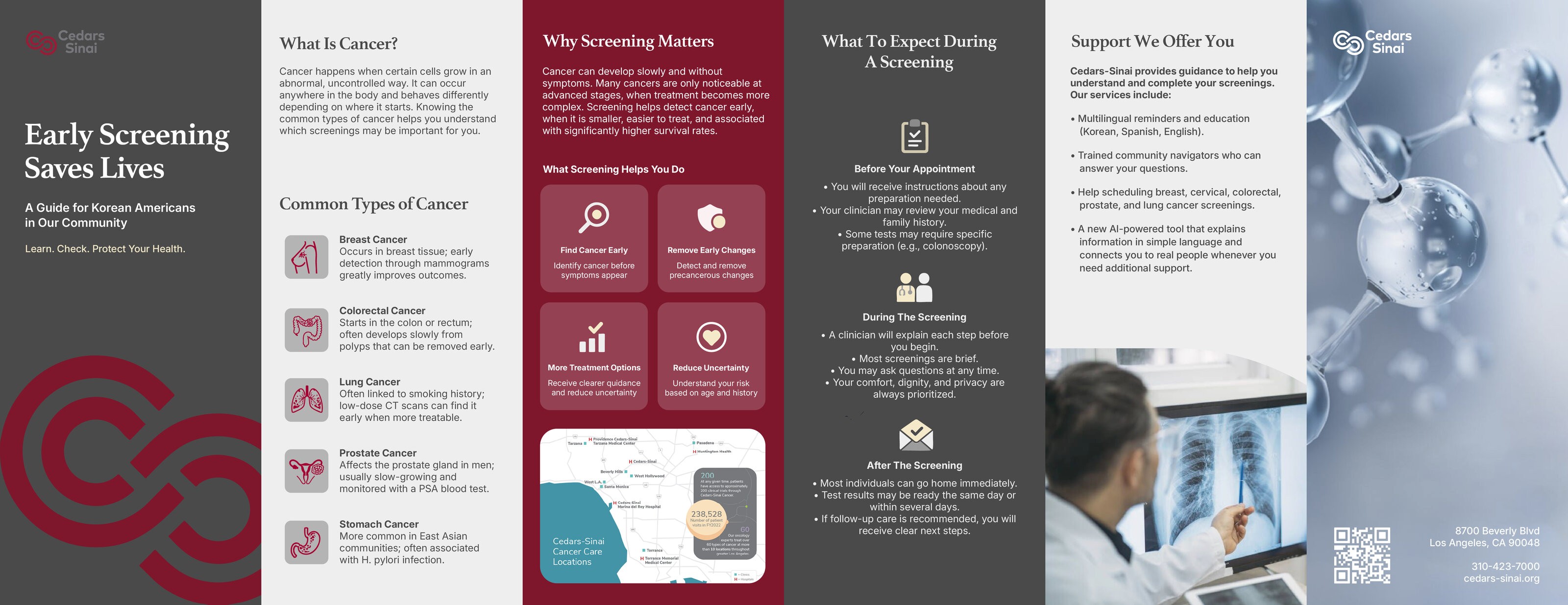
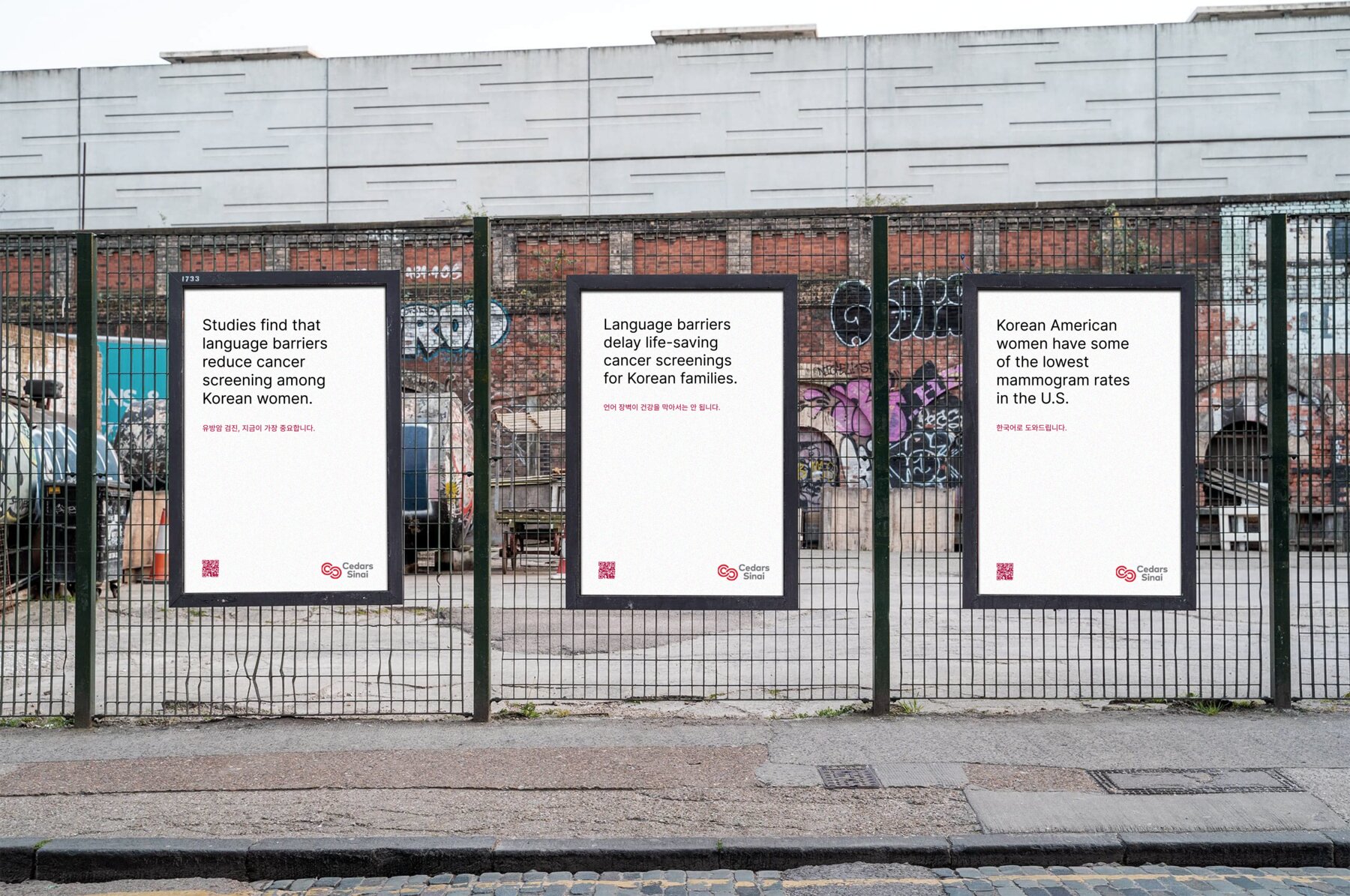
PRINT & CAMPAIGN — FROM THE TEAM PRODUCTION FILES



06 · RESULTS + REFLECTION
The design result is an operational boundary, not a claim of clinical impact.
Four rules each define what AI can do, cannot do, and when it must escalate.
Language, readiness, questions, and the selected human channel stay connected.
Run teach-back tasks with patients, test correct limitation recall, and measure whether the structured handoff helps or burdens navigators.
PROCESS APPENDIXOriginal research deck — every slide, as submitted
Inspect the original presentation when source context is needed.
These slides preserve the supplied project material. Their studies, programs, and community evidence are cited context—not research I claim to have conducted.
Trust, screening participation, language, and cultural barriers
01 / 05