
The big TV creates immersion
Children preferred the large shared screen for story, character, and action.
TV UX · MOBILE COMPANION · CASE STUDY
A story becomes a word. A word becomes a voice.
A connected TV and mobile learning experience that helps children understand one line in context, practice privately, and premiere their approved voice back on the family screen.
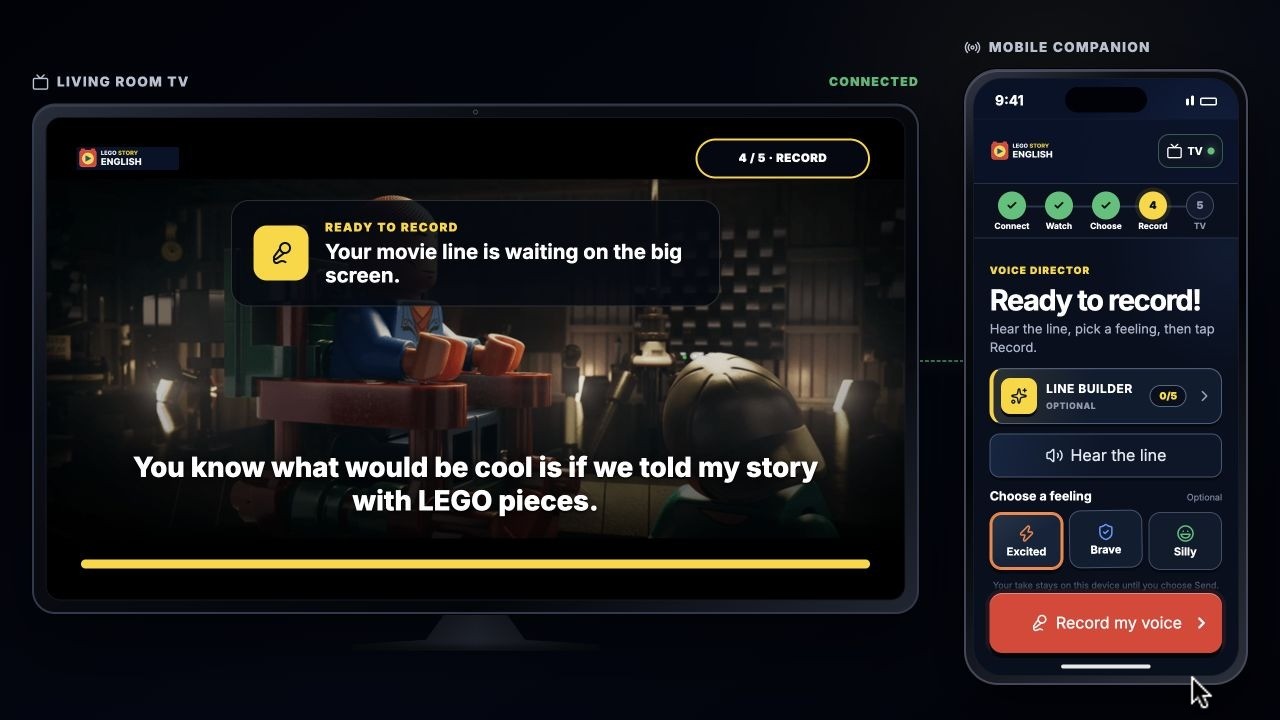
The child records on the phone, reviews the take privately, chooses Send, and watches the approved voice play inside the TV scene.
The brief asked me to refine three TV learning flows and extend one into a meaningful mobile companion. I synthesized collaborative research into the final opportunity, designed the TV and mobile interactions, built the high-fidelity prototypes, and created six motion walkthroughs and the final presentation.
01 · RESEARCH + OPPORTUNITY
Multiple interview rounds across children, parents, and adult LEGO fans were synthesized through affinity mapping and critique of the existing LEGO media journey.
Children preferred the large shared screen for story, character, and action.
Story moments motivated interest in building, collecting, and extending play.
Finishing became more meaningful when a parent or family member could see it.
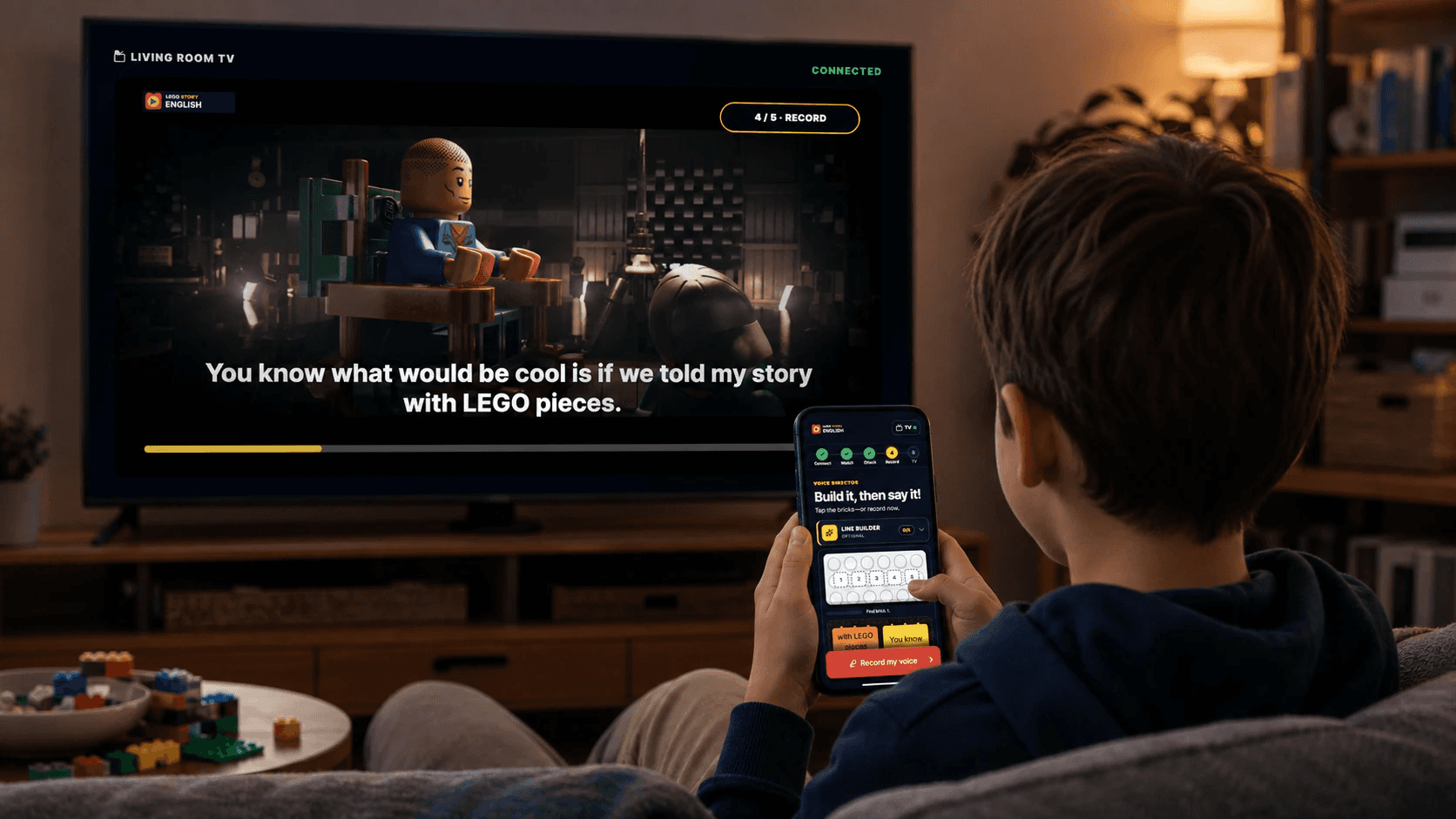
SYNTHESIZED PERSONA · AGES 8?11
They watch LEGO stories with family, understand the broad scene, and want time to make an unfamiliar line their own before speaking.
“Help me keep the story going, understand what I heard, and choose when my family hears me.”
THE GAP
Characters already move children from watching into building, collecting, and family play. But the narrative often disappears after the video or build is complete. A conventional lesson could interrupt the movie and make speaking feel like a public test.
The opportunity was to extend one meaningful story moment into active English practice—without replacing the story or putting the child on the spot.
“Got the LEGO Batman set because of the movie, but it doesn’t feel like the movie.”Participant B, age 11
HOW MIGHT WE
02 · EXPERIENCE ARCHITECTURE
The experience extends one line the child has already heard instead of opening another feed of content. Context stays visible; support stays optional; sharing stays controlled.
V1 fully prototypes one Piece by Piece mission using the word “story.” Additional story cards demonstrate how the system could scale; they are not complete lessons.
DEVICE ROLES
Shared state includes the selected story, playback position, current line, learning stage, recording state, and premiere state. The devices coordinate without mirroring each other.
Shared screen
The phone is not a smaller TV. While the scene plays, it becomes quiet and returns attention to the story.
TV INTERACTION MODEL
03 · REMOTE-NATIVE TV EXPERIENCE
Each walkthrough uses remote focus rather than a mouse pointer. The movie stays visually primary, and one clear decision advances each state.
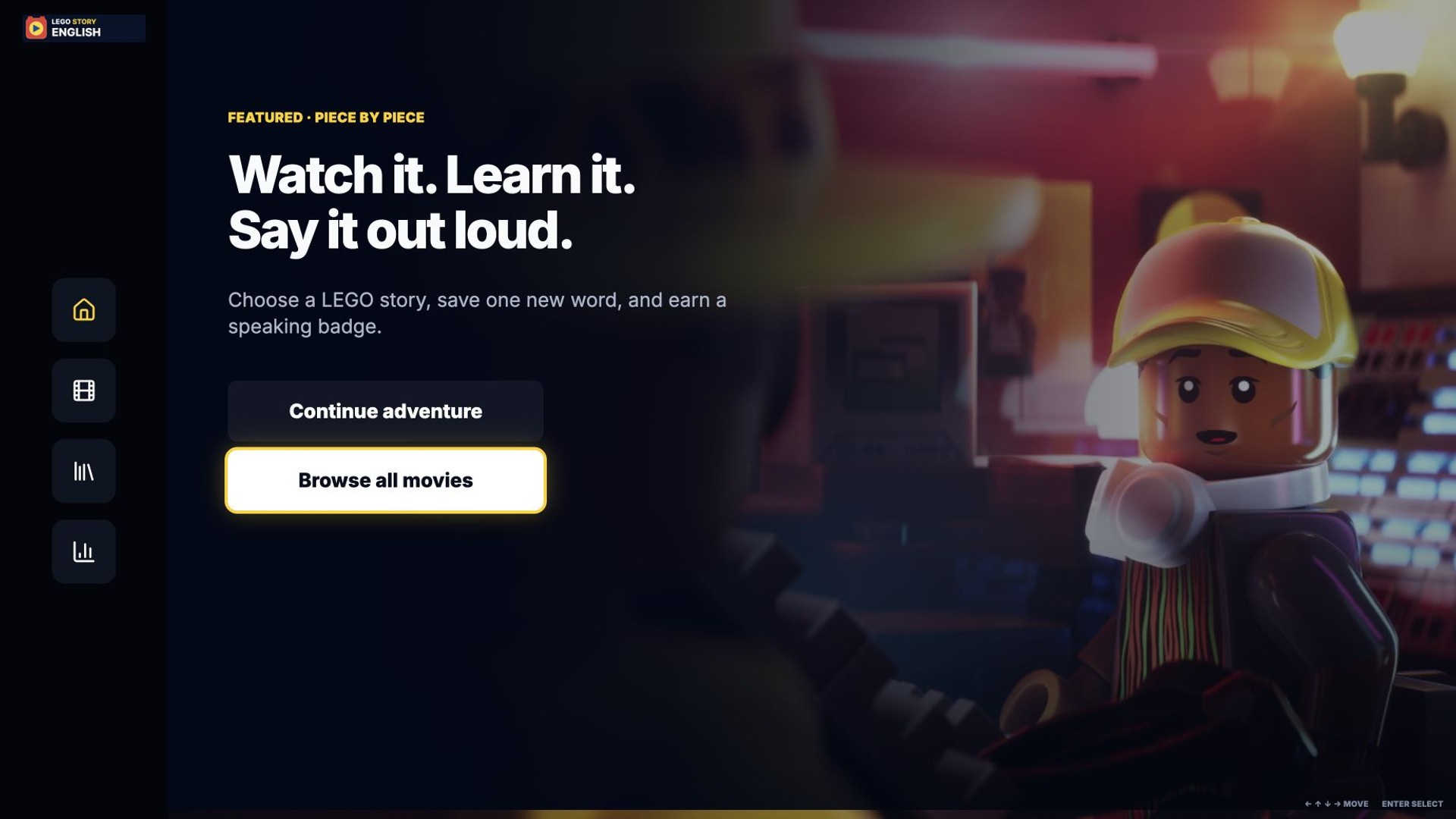
Remote focus moves from the home screen to the movie library, selects Piece by Piece, starts the lesson, and begins playback with synchronized lyrics.
TV FLOW 01 · DISCOVER + WATCH
Remote focus moves from Home to the story library, opens Piece by Piece, and starts a lesson with synchronized lyrics. One focused path begins the mission without extra onboarding or a mouse cursor.
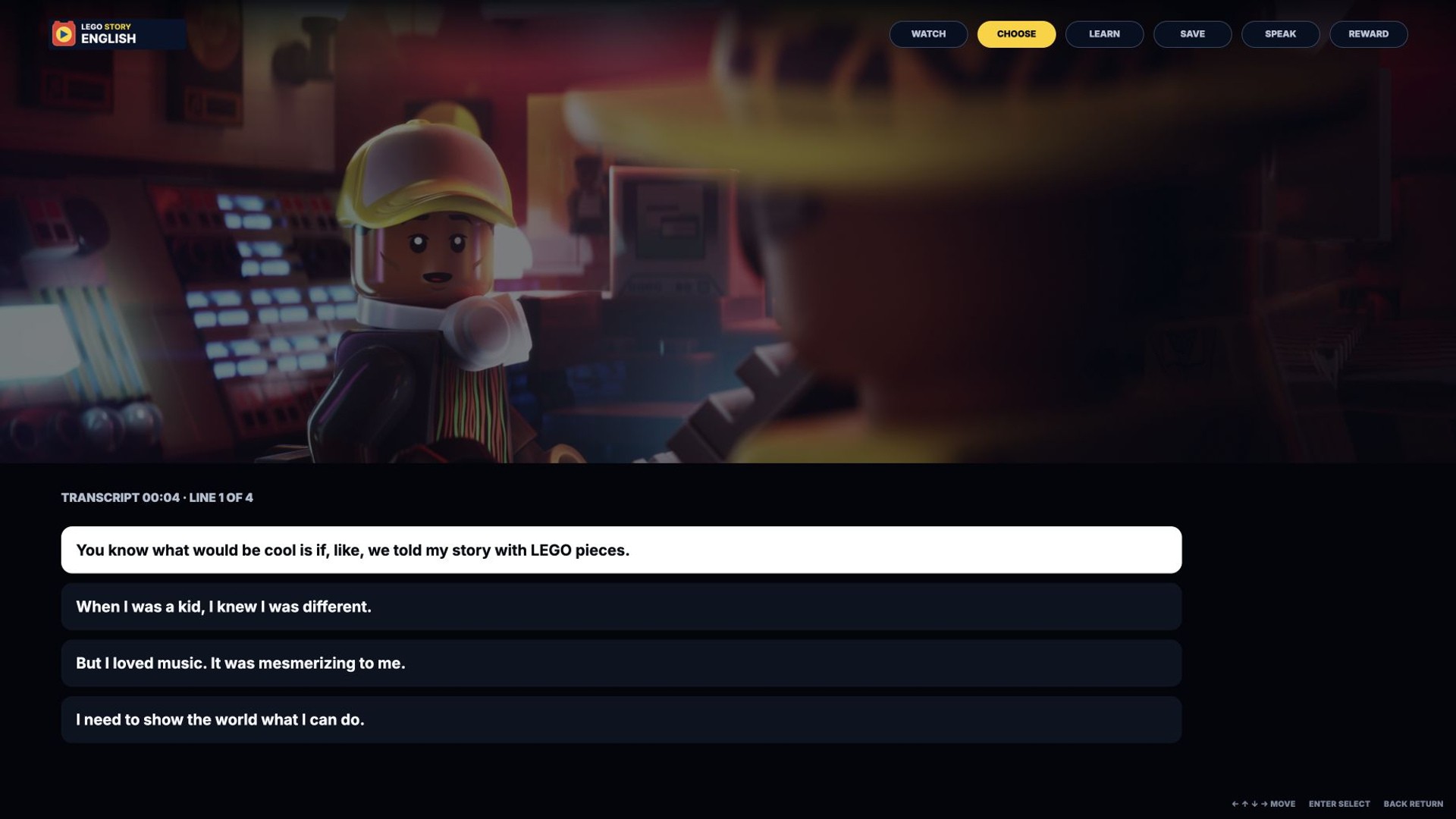
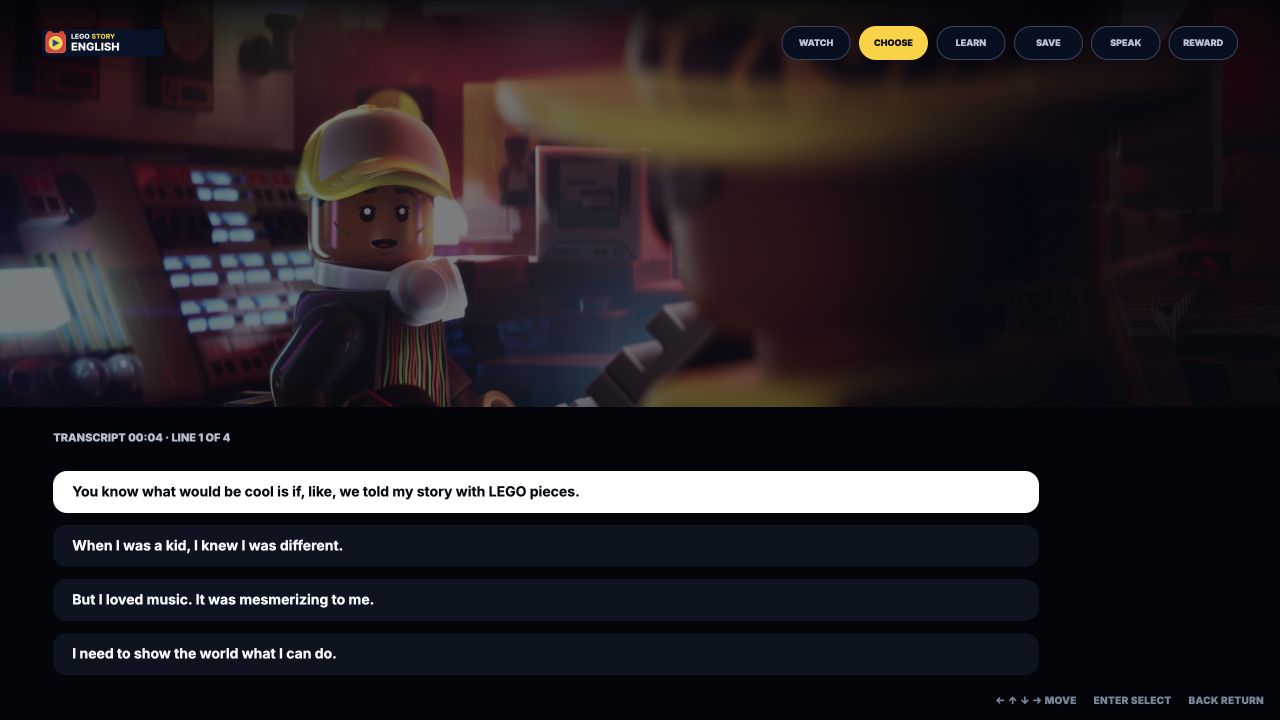
The story pauses, remote focus selects one lyric, a contextual definition opens beside the scene, and the word is saved.
TV FLOW 02 · LYRIC TO WORD
The child pauses on a line, selects the lyric they just heard, and learns the word “story” while the movie scene remains visible. Saving creates a reusable word brick instead of a detached flashcard.

The child starts and stops a recording, sees strengths-based prototype feedback, claims a badge, and returns to story discovery.
TV FLOW 03 · SPEAK + REWARD
The child records one line, sees strengths-based prototype feedback, claims a badge, and returns to story discovery. The value is a clear completion loop—not a validated pronunciation score.
04 · TV → MOBILE → TV
The connected mission protects the vulnerable middle of the experience. The child chooses support, records, replays, and retakes on the phone; the TV receives only the approved performance.
USER FLOW
Every state belongs to the device that can do it best. The phone never mirrors the TV, and nothing reaches the shared screen without an explicit Send.
The family pairs the TV and phone with a short code. The child chooses a story lesson on the phone; the TV plays it with synchronized English lines while the phone stays quiet. Pausing on a line opens an optional relearn on the phone: check one meaning, then rebuild the line from phrase bricks. Relearning can be skipped entirely. The child then records the line privately on the phone and reviews it there. A retake re-records without anything reaching the TV. Only an explicit Send premieres the approved take in the movie on the shared screen, which awards a badge and returns to the story library.
8-SCREEN EXPERIENCE FLOW
Tap, automatic, retry, and TV ? mobile sync paths connect pairing to the final premiere.
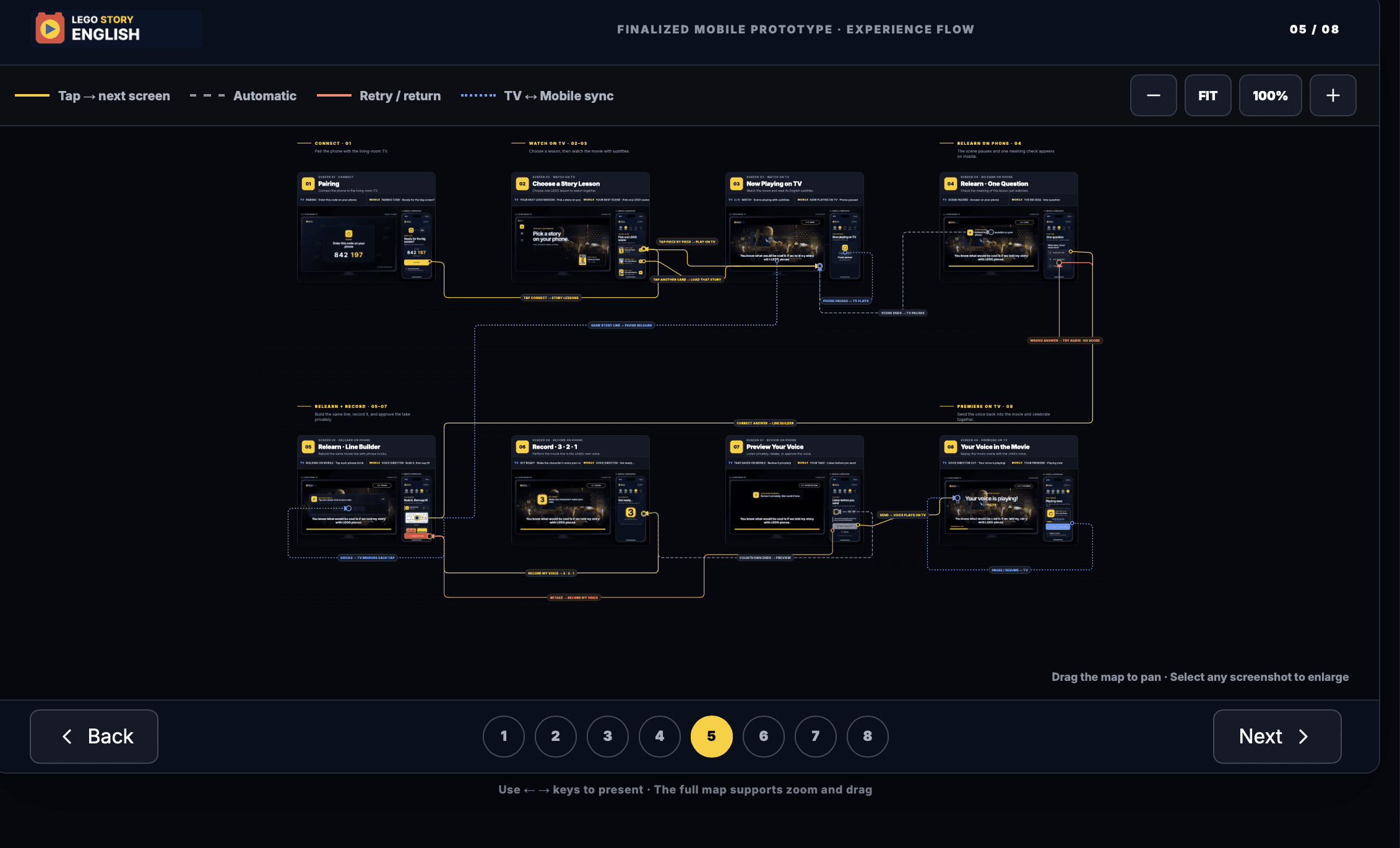
SELECT A STATE · 01?08
Choose any state to enlarge the real TV and mobile screens, then use the arrow keys to continue the journey.
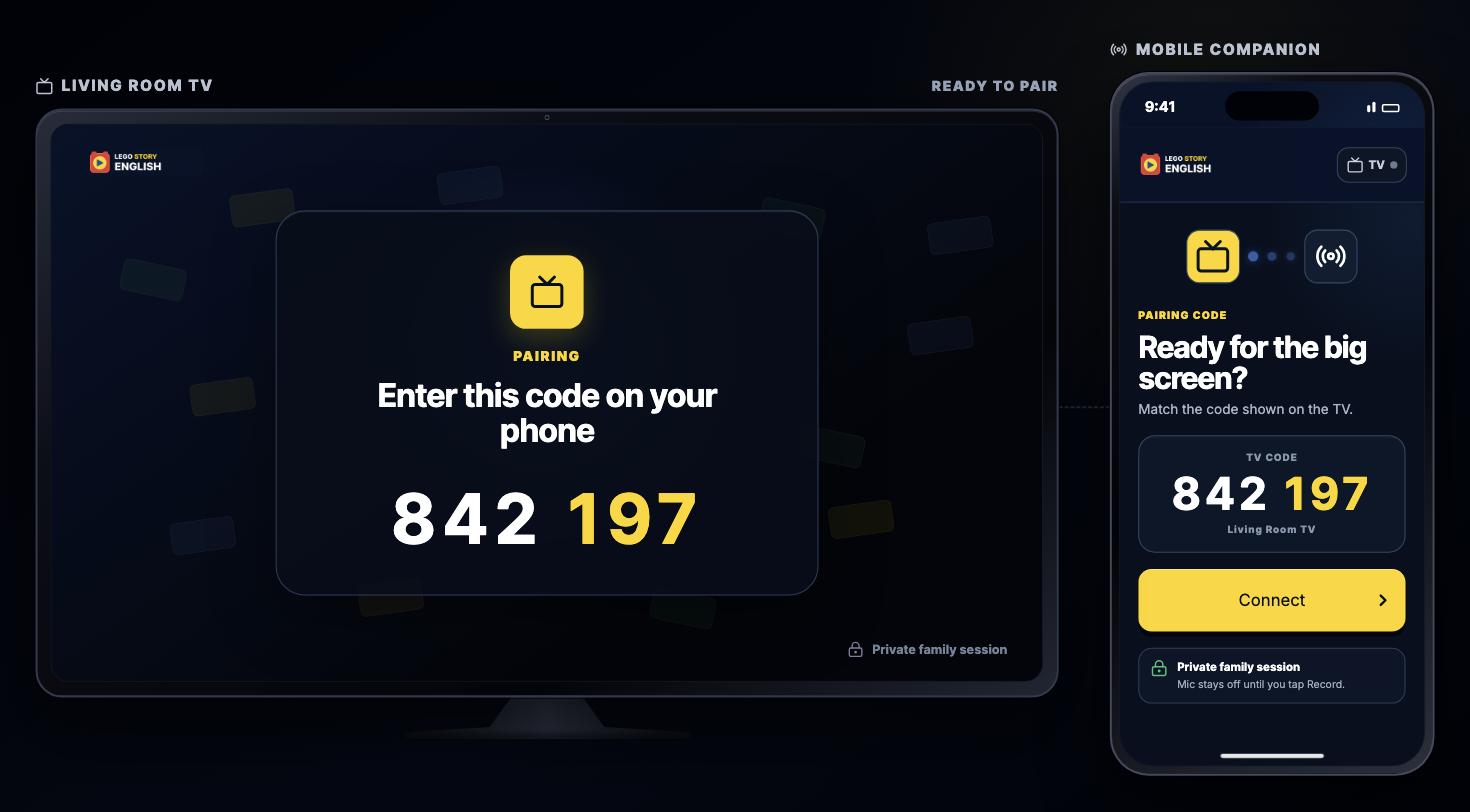
01 / 08 · CONNECT
A short code establishes the living-room session before any learning task begins.
TV shows the code · Mobile confirms the session04A · PAIR + CHOOSE
The phone matches the TV code, connects, and selects one scene while the shared screen waits and confirms each change.
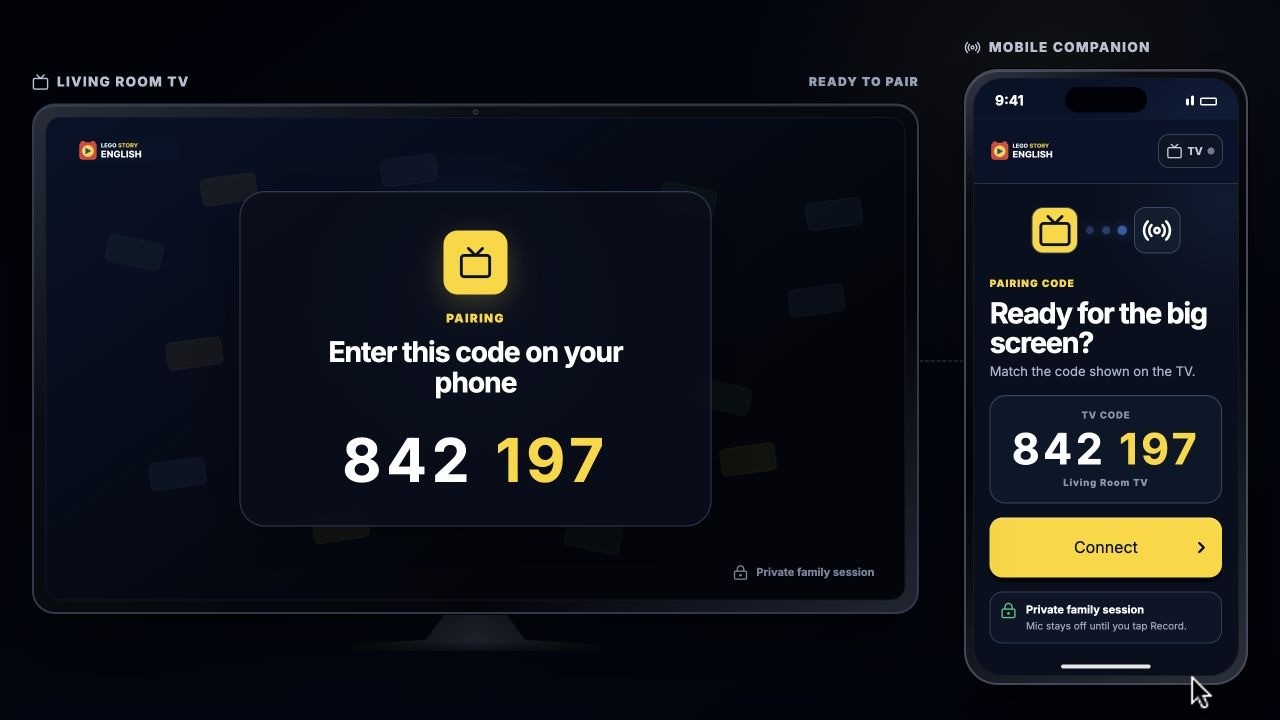
The phone matches the TV code, connects, and selects a story while the television confirms each change.
04B · CHOOSE SUPPORT
After the scene, the child chooses Quick Quiz or Record Now. Optional Line Builder and feeling direction support expression without becoming gates.

After the story pauses, the child chooses between a quick optional quiz and recording immediately.

04C · RECORD + PREMIERE
A countdown prepares the child while the TV keeps the line visible. The phone records and displays a waveform. Replay and Retake stay private; only Send + play on TV moves the approved take to the family screen.
Return to the private-to-shared walkthrough05 · CRITIQUE → DECISION
Critique focused the concept by removing unnecessary decisions and assigning the remaining decisions to the device that could handle them best. These revisions are critique-informed—not results from child usability testing.
Earlier issueLearning content and the movie demanded attention at the same time.
Final decisionKeep the movie primary; place lyrics below it and activate them only through pause or focus.
Reveal support at the moment of need.
Earlier issueThe child had to finish a quiz and phrase-building task before recording.
Final decisionOffer Quick Quiz or Record Now. Keep Line Builder optional and add Build It for Me.
Relearning is available, never forced.
Earlier issueThe early handoff did not make clear when the family could hear the child.
Final decisionKeep recording, replay, and retake on the phone. Only explicit Send moves the approved take to TV.
Make the privacy boundary visible and controllable.
Earlier issueRepeated progress labels and small decisions made the mobile journey feel longer than the learning task.
Final decisionUse one five-stage spine—Connect, Watch, Choose, Record, TV—with one primary decision per screen.
Child-facing clarity matters more than exposing every system state.
Earlier issueBrowser proportions and mouse-like behavior weakened the living-room context.
Final decisionMove to a fixed 16:9 canvas, remote-native focus, ten-foot type, and pointer-free TV walkthroughs.
Design for the physical context, not only the viewport.

VISUAL LANGUAGE
ACCESSIBILITY + USABILITY
PROTOTYPE VALIDATION
Validation covered remote and keyboard behavior, touch navigation, synchronized TV/phone states, motion-task rails, component containment, TV-scale readability, long-word behavior, and the explicit Send boundary.
The current prototype simulates cross-device synchronization in one web experience. It does not claim two production devices communicate over a deployed network, and it is not a substitute for child usability or learning-efficacy research.
06 · OUTCOME + NEXT STEPS
The final prototype demonstrates a cohesive, testable multi-device system. It does not yet demonstrate learning impact, engagement lift, confidence, or retention.
CHILD VALUE
Understand one line and control when the family hears the result.
FAMILY VALUE
A clear boundary for rehearsal followed by one shared premiere.
BUSINESS HYPOTHESIS
A structure that can test lesson starts, saved words, completion, and return-to-story behavior.
DESIGNED PAYOFF
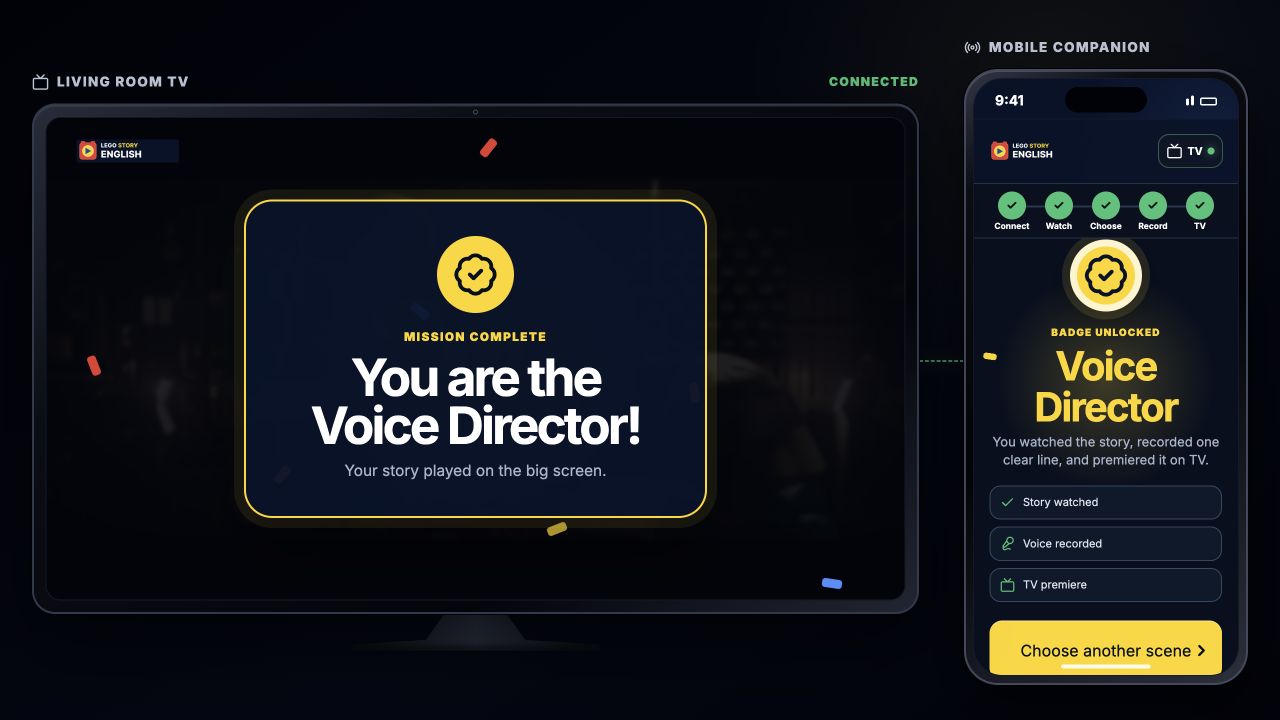
The approved voice changes the shared scene, and the Voice Director badge explains the behavior that was completed before guiding the child back to another story.
REFLECTION
Cross-device design is not about adding more screens; it is about assigning each device the moment it handles best.
The TV was best for shared attention, story scale, and celebration. The phone was best for private choice, microphone input, rehearsal, and approval. Separating those responsibilities made the product simpler—and naming the research boundary made the next test more credible.
TRY THE FULL MISSION
Pair, watch, choose support, review privately, and send one approved take to the family TV.
Independent academic concept. LEGO is a trademark of the LEGO Group. This project is not affiliated with or endorsed by the LEGO Group or the owners of the referenced film content.