Product strategy · exploratory research · end-to-end mobile flows · interactive prototyping · reusable component system
ROLE
Product Designer
CONTEXT
Mobile peer-to-peer skill-exchange concept
SCOPE
Reciprocal matching · trust profiles · chat and scope-setting · scheduling · completion and feedback · 6 reusable components
TRUST4.9 · 12 swapsONE SHARED EXCHANGEBlind repair ⇄ Piano basics
01
PROBLEM + THESIS
A skill match is not yet an exchange.
Finding a possible match still leaves both people to define terms, boundaries, timing, and consent. The concept reframes the exchange as one shared object—not two unrelated favors.
DESIGN QUESTION
How might two people understand fit, feel safe enough to agree, and know what happens next?
CHRISBlind repair
offers
↔ONE SHARED EXCHANGE
JENNAPiano basics
offers
02
RESEARCH SCOPE + SYNTHESIS
Small input set. Explicit evidence boundaries.
Three exploratory conversations and an adjacent-product scan informed the concept. The research artifacts below separate documented input, directional synthesis, and claims that still require validation.
SYNTHESIS BOARD
From documented input to design decisions.
The board recreates the synthesis structure for portfolio clarity. Connections mean “informed,” not proved, validated, or caused.
The happy path and responsible exit paths are mapped together. Solid states are user or system actions; simulated responses and future production branches are labeled rather than presented as real behavior.
User action or system state Prototype-simulated counterpart response Production branch to validate later
DISCOVER2 STATES
D0Find reciprocal fit
Compare offer + need, distance, format, and time.
D1Inspect trust context
Read contribution history, expectations, and boundaries.
PROPOSE3 STATES
P0Draft proposal
Set format, duration, location, and boundary.
P1Review one shared object
Check both skills and every term before sending.
P2Sent · not accepted
The proposal stays reversible and distinct from chat.
AGREE3 STATES
A0Skill proposal accepted
The exchange is accepted; the time remains open.
SIMULATED RESPONSE
A1Time proposed
A date and place are visible but not yet confirmed.
A2Plan confirmed
Both people can locate the same next step.
SIMULATED RESPONSE
COORDINATE1 STATES
C0Chat beside the agreement
The confirmed plan remains visible while people coordinate.
CLOSE4 STATES
X0Mark what happened
Each participant reports completion independently.
PARTICIPANT-REPORTED
X1Private feedback
Feedback stays hidden until both submit.
X2Waiting for Jenna
The exchange remains pending while the counterpart response is outstanding.
X3Participant-reported receipt
The record reflects reports—not independent verification.
SIMULATED RESPONSE
NO RESULTS
Discover → adjust the search query or format filter.
REVISE
Review or sent → revise → return to the editable proposal.
RESCHEDULE
Coordinate → reopen time selection while keeping the accepted skill pair.
NOT YET
Completion check → return to chat without creating a receipt.
CHANGE OR LEAVE
Reschedule keeps the exchange; cancel resets the demo; report pauses contact in this prototype only.
START AGAIN
Closed or reported → return to discovery and begin a new reciprocal match.
FUTURE PRODUCTION BRANCH
Request changes, decline, real report review, blocking, support, and notifications require validation.
Jenna’s acceptance, confirmation, and completion are explicitly simulated in the interactive prototype; no real person or exchange is created.
04
LOW-FI → MID-FI
From structural questions to a clickable exchange.
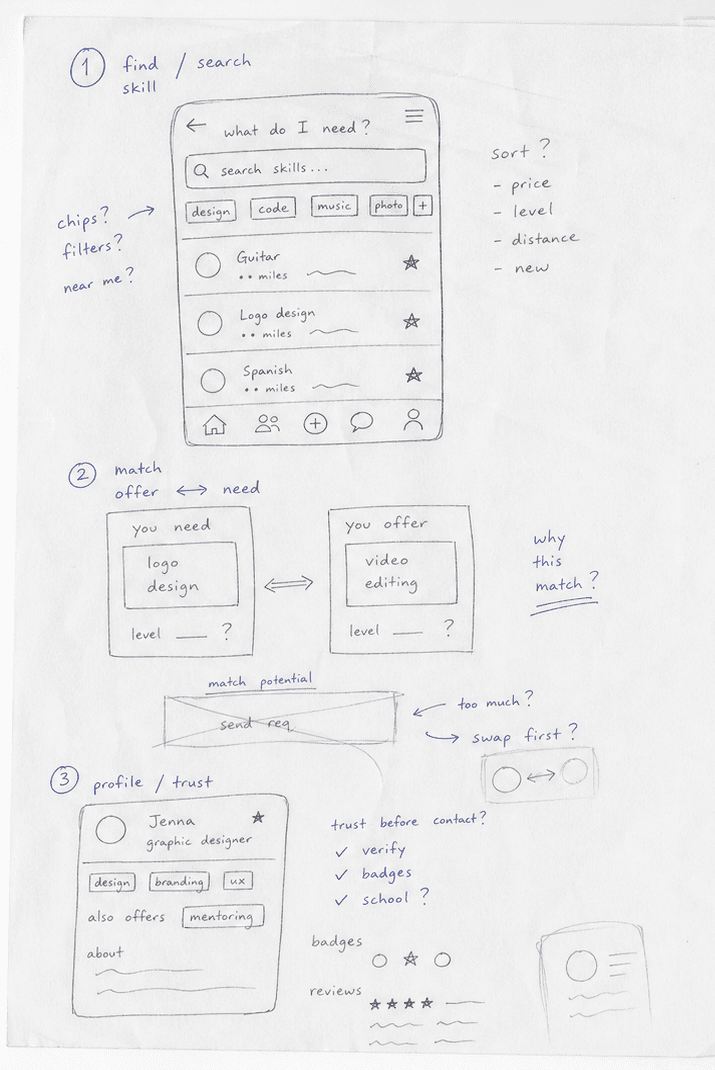
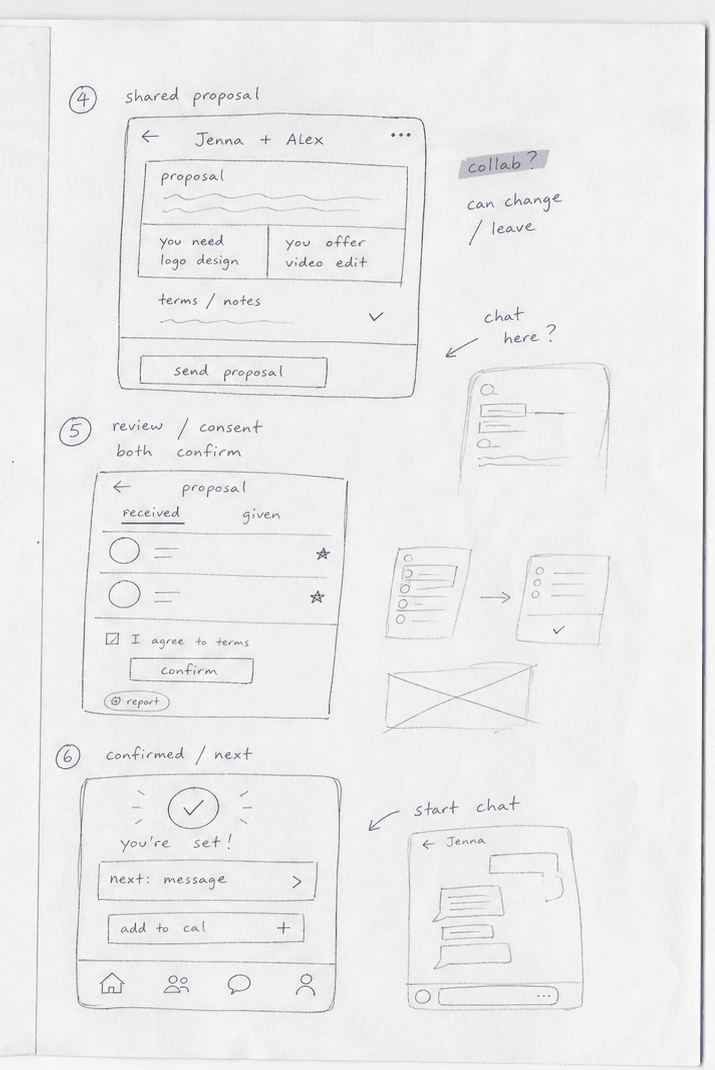
The preserved wireframe board documents the early information structure. The low- and mid-fidelity reconstructions make the key decisions readable and testable in this portfolio without presenting newly rebuilt views as original dated artifacts.
WHAT CHANGED
Keep the structure. Reassign the visual weight.
The early board established the content model. The high-fidelity work then made the reciprocal pair, shared state, and next action visually dominant.
Two scanned printer-paper sheets use pencil, blue-pen corrections, unfinished frames, and crossed-out sketches to explore the sequence before visual styling. This is a portfolio reconstruction—not original dated research evidence.
OPEN SOURCE↗SCAN 01 · DISCOVER → MATCH → TRUSTOPEN SOURCE↗SCAN 02 · PROPOSE → CONSENT → NEXT ACTION
MID-FI · CLICKABLE RECONSTRUCTION
Test the shared object before adding the final visual system.
This five-state mid-fidelity flow is rebuilt from the documented structure. Use the real controls to inspect fit, set terms, review the proposal, and preview a confirmed next-step state.
01Matches
02Trust
03Proposal
04Review
05Confirmed
PROTOTYPE QUESTION
Does the same reciprocal pair remain legible while the user moves from discovery to agreement?
SkilioMID-FI · 01/05
RECIPROCAL MATCHES
Who fits both sides?
Blind repair in exchange for piano basics.
JJenna1.8 mi · Sat mornings
Jenna offers Piano basics↔You offer Blind repair
SAMPLE · 12 completed
SAMPLE · 4.9 peer context
In person
AAmanda3.4 mi · Online
Watercolor↔Shelf mounting
05
INTERACTION MODEL
One loop. Six legible states.
Select a phase to see how the product keeps both sides of the commitment and the next action visible.
I OFFERBlind repair
↔
I NEEDPiano basics
ACTIVE PHASE · 01
Describe both sides of the exchange.
A match starts with what each person can offer and what they need—not a generic service listing.
DESIGN OUTPUT
A reciprocal pair that can be compared before anyone commits.
06
HIGH-FIDELITY INTERACTIVE PROTOTYPE
Use the product—not another screenshot.
This working mobile web app replaces the enlarged source export. Start with discovery, inspect trust, build a proposal, explicitly simulate the counterpart responses, schedule the exchange, coordinate, close it, and restart.
LIVE MOBILE WEB APP
Start with “Find a skill,” then complete the reciprocal exchange.
See people whose offer fits your need—and whose need fits your offer.
UP NEXT
Nothing scheduled yet
OPEN
Find one reciprocal match to create a shared plan.
07
DESIGN SYSTEM
Foundations the exchange runs on.
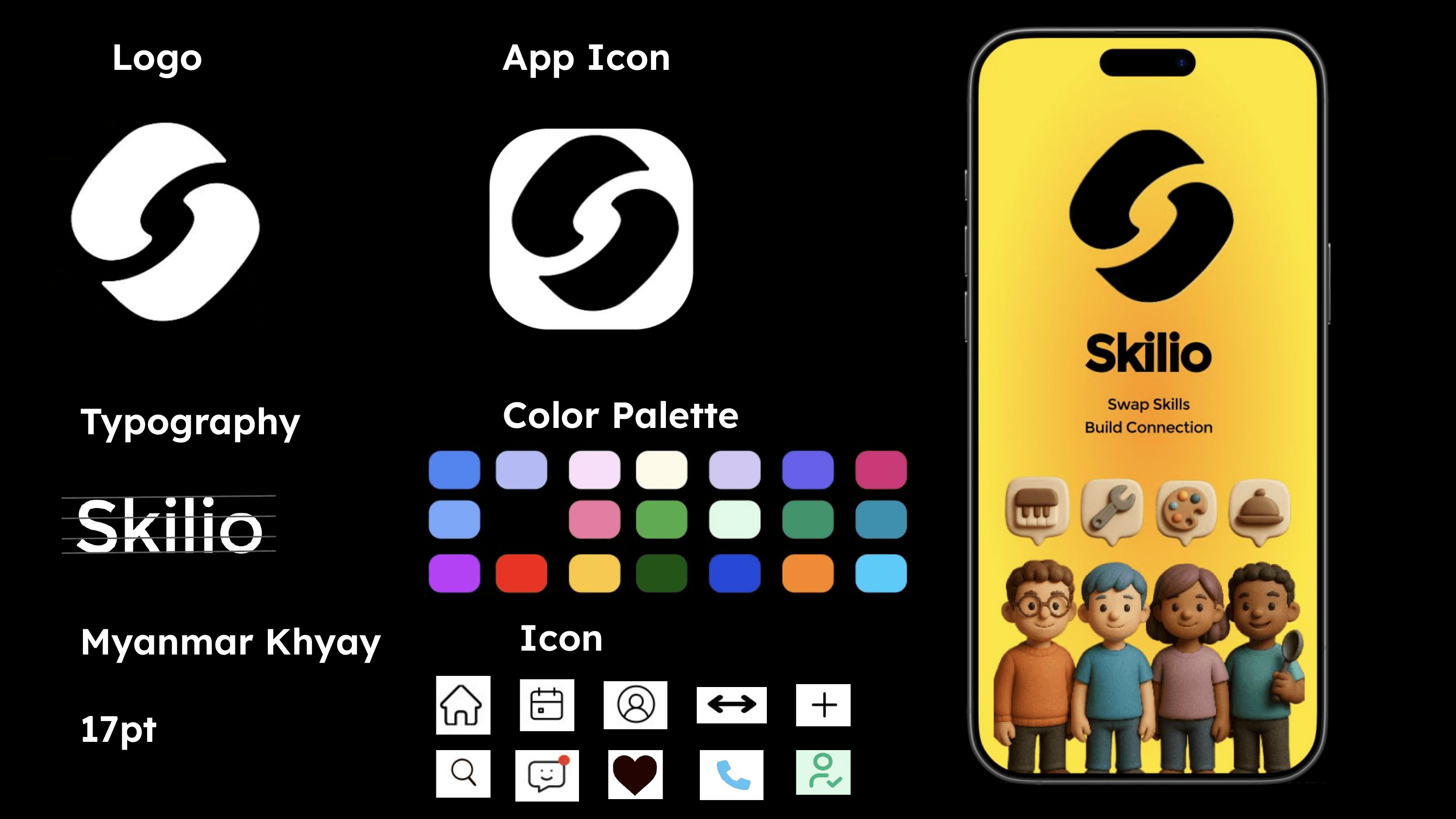
Brand, colour, type, shape, and components documented as one kit. Nine tokens carry every interface state; the remaining twenty hues belong to illustration and never signal anything.
9Interface tokens
20Illustration hues
3Typefaces
6Radii
5Durations
1Easing curve
BRAND KIT
One mark, four surfaces.
The identity was built once and reused everywhere: the stroke pair in the wordmark becomes the app icon, the swap glyph in the icon set, and the splash lockup.
#5B3FEA VIOLET 600
#FFD83D YELLOW 400
#F45B45 CORAL 500
#A8E6C3 MINT 300
WordmarkTwo interlocking strokes: one offer, one need, meeting in the middle.
App iconSame mark, squared and inverted so it survives a home screen.
Icon setTen glyphs on a shared grid: home, calendar, profile, swap, add, search, message, save, call, verified.
SplashYellow ground, mark, promise, and the four skills the concept opens with.
01 · COLOUR
Nine interface tokens. Every other colour is illustration.
Contrast is measured against the text colour each token actually carries. Coral fails AA at body size, so it is restricted to indices and large markers.
RAMP
Each hue is extended to five steps so the system can scale past the concept. The circled step is the one the product actually ships; the rest exist for hover, borders, and inverted surfaces.
Violet
100#F0EFFC16.0
300#CBC7F611.3
600#5B3FEA6.3
800#5038D07.5
900#4531B39.0
Yellow
50#FFFAEF17.5
200#FFEEC715.8
400#FFD83D13.1
600#E2BF3810.2
800#C2A5327.5
Coral
100#FDF0F016.3
300#FACBC812.5
500#F45B455.6
700#D8513E4.5
900#BA45375.3
Mint
50#F5FCF817.4
100#DDF4E715.7
300#A8E6C312.8
500#95CCAD10.0
700#7FAF957.3
Neutral
00#FFFFFF18.2
50#EBEFF515.7
200#DADDE313.4
600#9295996.0
900#0F162018.2
SEMANTIC MAPPING
Colour is only allowed to mean one thing at a time. This is the whole vocabulary.
State
Token
Where it appears
Documented input
Violet 100#E7E7F8
Research notes, jam stickies, boundary table row headers
Directional hypothesis
Yellow 200#FFF1A8
Claims that shaped a decision but were never tested
Design decision
Mint 100#DCF5E7
Choices committed into the flow and the prototype
Needs validation
Coral 300#FFE3DD
Anything a usability round would have to confirm
Selected, in progress
Yellow 400#FFD83D
Active phase tab, chosen time slot, current mid-fi step
Committed, closed
Mint 300#A8E6C3
Confirmed swap, completion tick, earned credit
ILLUSTRATION PALETTE
Twenty hues reserved for the 3D cast and category art. They never carry state, so the interface stays readable when the illustrations change.
#5485EE
#B4BAF4
#F7DFF9
#FDFAEA
#D0C8F2
#6760EB
#C93A77
#7EA7F8
#E37DA2
#60AB51
#E2FBE9
#43936C
#3F8FAE
#B442F5
#E83425
#F6C952
#255419
#2848D6
#EF8B36
#5ECAF8
02 · TYPE
Condensed for structure, Sans for reading, Mono for facts.
The product ships Myanmar Khyay at a 17pt base. This case study runs the IBM Plex superfamily so the writing stays legible at portfolio scale.
DisplayPlex Sans Condensed · 700 · 76–128px · -0.028em
Skilio
SectionPlex Sans Condensed · 700 · 38–66px · -0.02em
One loop. Six legible states.
SubheadPlex Sans Condensed · 600 · 30–42px · -0.016em
Swap skills. Build connection.
BodyPlex Sans · 400 · 19px · 1.6
A concept for keeping fit, trust, consent, scheduling, and closure visible through one shared exchange.
LabelPlex Mono · 700 · 11px · 0.12em · uppercase
RESEARCH BOUNDARY
MicroPlex Mono · 700 · 9px · 0.08em · uppercase
TRUST · 4.9 · 12 SWAPS
SPECIMEN
ABCDEFGHIJKLMNOPQRSTUVWXYZ
abcdefghijklmnopqrstuvwxyz
0123456789 &@#%$ ()[]{} → ↔ ·
IBM Plex Sans Condensed 700IBM Plex Sans 400IBM Plex Mono 700
RULES
Scale ratio
1.28 major third, clamped per breakpoint
Measure
60ch maximum on body, 30ch on device copy
Numerals
Mono, tabular, for every count and rating
Case
Uppercase reserved for Mono labels only
Minimum
9px Mono, 12px Sans, never below
Product face
Myanmar Khyay, 17pt base, inside the app
03 · SHAPE + SPACE
A four-point rhythm and six radii.
Every gap on the page resolves to the ramp below. Hairlines stay at one pixel so the density reads as editorial rather than boxed.
RADIUS
0
10
12
18
22
pill
SPACE
4
8
12
16
22
30
44
68
LINE, FOCUS, LIFT
Hairline · 1px · ink 16%
Focus · 3px violet · 5px offset
Lift · 0 12px 30px · ink 28%
BREAKPOINTS
The page is a container query context, not a viewport one, so the case study reflows correctly even when it is embedded at a narrower width.
Container
Inner / pad
What changes
> 1180
1328 / 64
Three column grids, four screen frames
1180
1328 / 64
Grids fall to two columns, brand kit stacks
1100
fluid / 40
Inner padding tightens
900
fluid / 40
Type scale rows stack, swatches halve
720
fluid / 22
Hero stage shortens, chips reposition
640
fluid / 22
Everything single column
480
fluid / 18
Minimum padding
04 · MOTION
One curve, five durations.
Everything decelerates on the same easing. Nothing bounces, nothing overshoots, and every transition collapses to nothing when the reader asks for reduced motion.
EASING
cubic-bezier(.2, .8, .2, 1)
Eighty percent of the distance is covered in the first third of the time, so an interface change registers immediately and then settles.
DURATIONS
Tap180msButton lift, chip toggle, icon nudge
Surface220msCard hover, shadow, border colour
Reveal550msScreen cards entering the viewport
Section620msSection headings, 28px rise
Scrub7sFull-length screen scroll on hover
prefers-reduced-motion drops every duration to 0.001ms and disables the hover scrub. The reveal classes are only added when JavaScript runs, so a failed script leaves a fully readable page rather than an invisible one.
05 · COMPONENTS
The pieces the exchange is actually assembled from.
These are live elements, not screenshots. Hover or focus any of them to see the state the product uses.
Five states, defined once, reused by every interactive element on the page.
DefaultHoverFocusPressedDisabled
Primary
Secondary
Chip
ANATOMY · MATCH CARD
The densest object in the product. Every part earns its place by answering one question a person asks before they commit.
Jenna5 mi away · 87% match
JUL 20 · 8:0012
OfferPiano lessons
⇆
NeedBlind repair
34
VIEW PROFILEREQUEST SWAP +5
1
IdentityAvatar, name, distance, and match percentage in one line
2
TimestampMono, tabular, right aligned so rows scan vertically
3
ExchangeOffer and need in one object, never two separate cards
4
DirectionThe swap glyph, the only place the mark appears in-line
5
ActionsSecondary before primary, both above the fold of the card
06 · ACCESSIBILITY
What was actually checked, and what was not.
A design system that only lists what went right is a brochure. The last row is the honest one.
✓
Contrast floor4.5:1 for body, 3:1 for large text and UI edges
Met, Coral restricted to large
✓
Touch targets50px on primary links, 46px on device buttons, 44px minimum
Met
✓
Focus3px violet ring, 5px offset, never removed
Met
✓
Skip linkFirst tab stop jumps to the case study body
Met
✓
Current steparia-current on the active phase and mid-fi step
Met
✓
Reduced motionAll transitions collapse to 0.001ms
Met
✓
Screen readerEvery figure captioned, every image described
Met
✓
Keyboard onlyPhase tabs, disclosure, and the prototype are reachable
Met
–
Usability testingNo moderated round was run on this concept
Not done
08
SCREEN LIBRARY
Seven screens, one commitment.
Four high-fidelity screens from the original file, then three states rebuilt in markup to close the loop: entry, proposal, and the moment an exchange actually ends.
Conversation ends in a confirmed object, not a promise buried in a thread.
The confirmation card is the closure moment
Both sides read the same scheduled result
REBUILT SPECIMENS
Three states the original screens never captured.
These are built in markup for this portfolio, not exported from the original file. They cover the entry point, the proposal, and the closure moment.
SkilioSwap skills. Build connection.
Piano
Repair
Cooking
Design
GET STARTED
05Entry
The promise is stated before any account exists, and the four opening categories set expectations.
←Propose a swap
You offerBlind repair
⇆
Jenna offersPiano lessons
When
Sat 20Sun 21Mon 22
6:00 PM7:30 PM
Where
Jenna’s place · 5 mi
✓Both sides confirm before contact details are shared.
SEND PROPOSAL
06Propose
Offer and need stay paired through the whole proposal, and consent is a step rather than a footnote.
✓Swap completeYou taught blind repair. Jenna taught piano basics.
★
Fast ResponderBadge 8 of 24 earned
+60Credit
12Completed
Lv. 5Level
FIND THE NEXT SWAPRate this exchange later
07Close
Closure is a screen, not a silence. Both contributions are named before anything is scored.
SUPPORTING EVIDENCE
Research boundary, visual system, and narrative artifact+
RESEARCH BOUNDARY
Three exploratory conversations and an adjacent-product scan informed hypotheses about fit, trust, and reciprocity. This input does not establish saturation, demand, or usability.
DESIGN SCOPE
My contribution focused on product framing, synthesis, information architecture, the end-to-end exchange flow, and the interface system represented here.
EVIDENCE LABELS
Product screens and boards are preserved source artifacts. The cut-paper image is an illustrative scenario frame and is not presented as research evidence or UI.
HIGH-FIDELITY SOURCE SCREENS
Preserved artifacts—kept secondary to the working product.
These original exports document the visual direction. Open any screen at full resolution; the main case-study path uses the live prototype instead.
OPEN SOURCE↗HIGH-FIDELITY FLOW BOARD · SOURCE ARTIFACTOPEN SOURCE↗DESIGN SYSTEM · SOURCE ARTIFACTOPEN SOURCE↗SCENARIO ARTWORK · ILLUSTRATIVE, NOT PRODUCT UI
07
OUTCOME + NEXT GATE
A coherent exchange model—not a measured impact claim.
The concept demonstrates how two people can inspect fit, agree to boundaries, keep a schedule visible, and close an exchange. User impact remains unmeasured.
01
One inspectable offer / need pair
02
One shared state from consent to closure
03
One clear next action at every phase
NEXT VALIDATION
Test the responsible edges before expanding discovery.
Can people explain the reciprocal pair and identify the current state?
Do trust cues help without creating false confidence?
Can both people locate revise, cancel, report, and completion actions?
Audit keyboard, screen-reader, zoom, contrast, and touch-target behavior.
REFLECTION
The hard part was not helping people discover skills. It was making a reciprocal commitment legible to both sides.

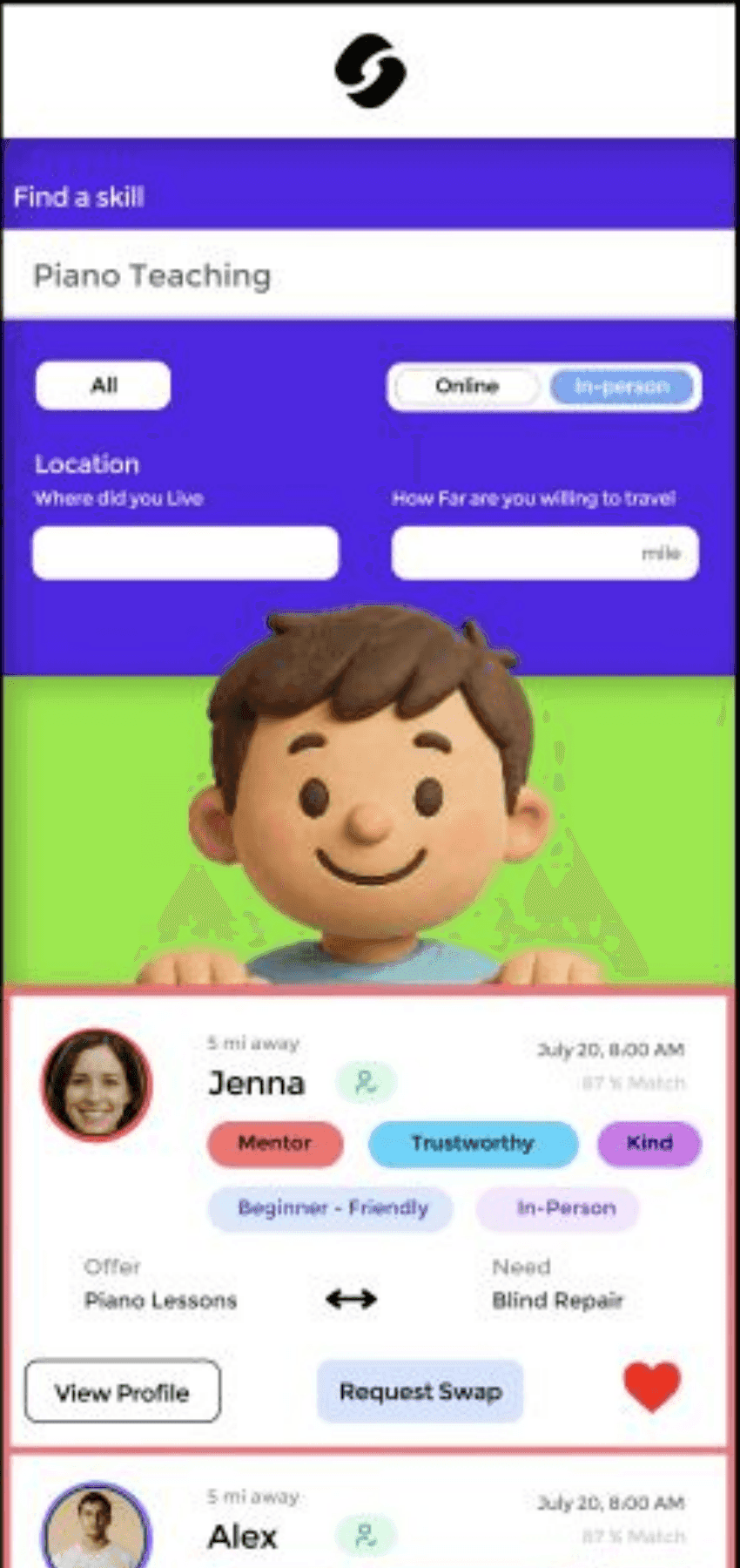 TRUST4.9 · 12 swapsONE SHARED EXCHANGEBlind repair ⇄ Piano basics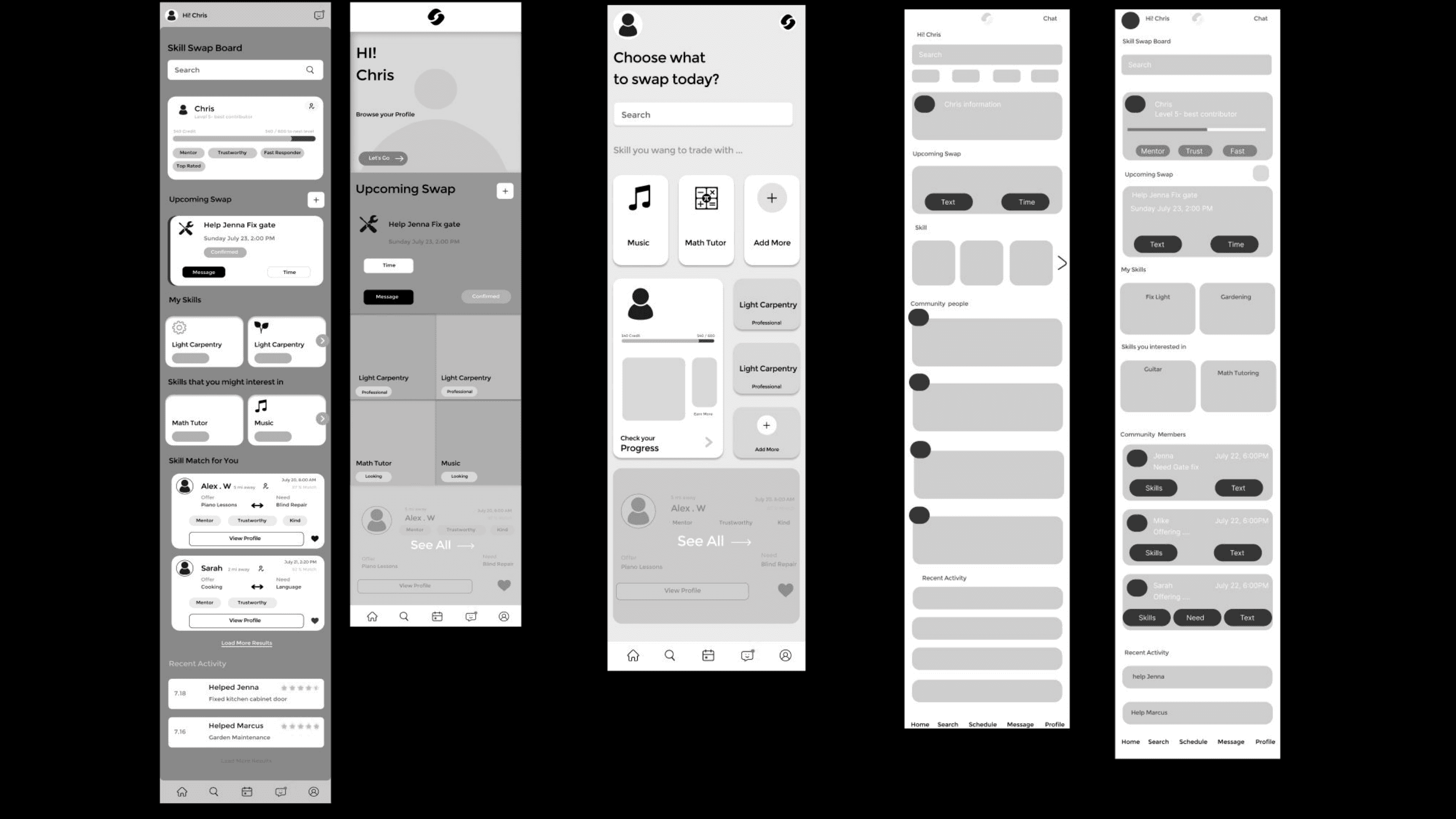

 HOVER TO SCROLL · CLICK FOR FULL LENGTH
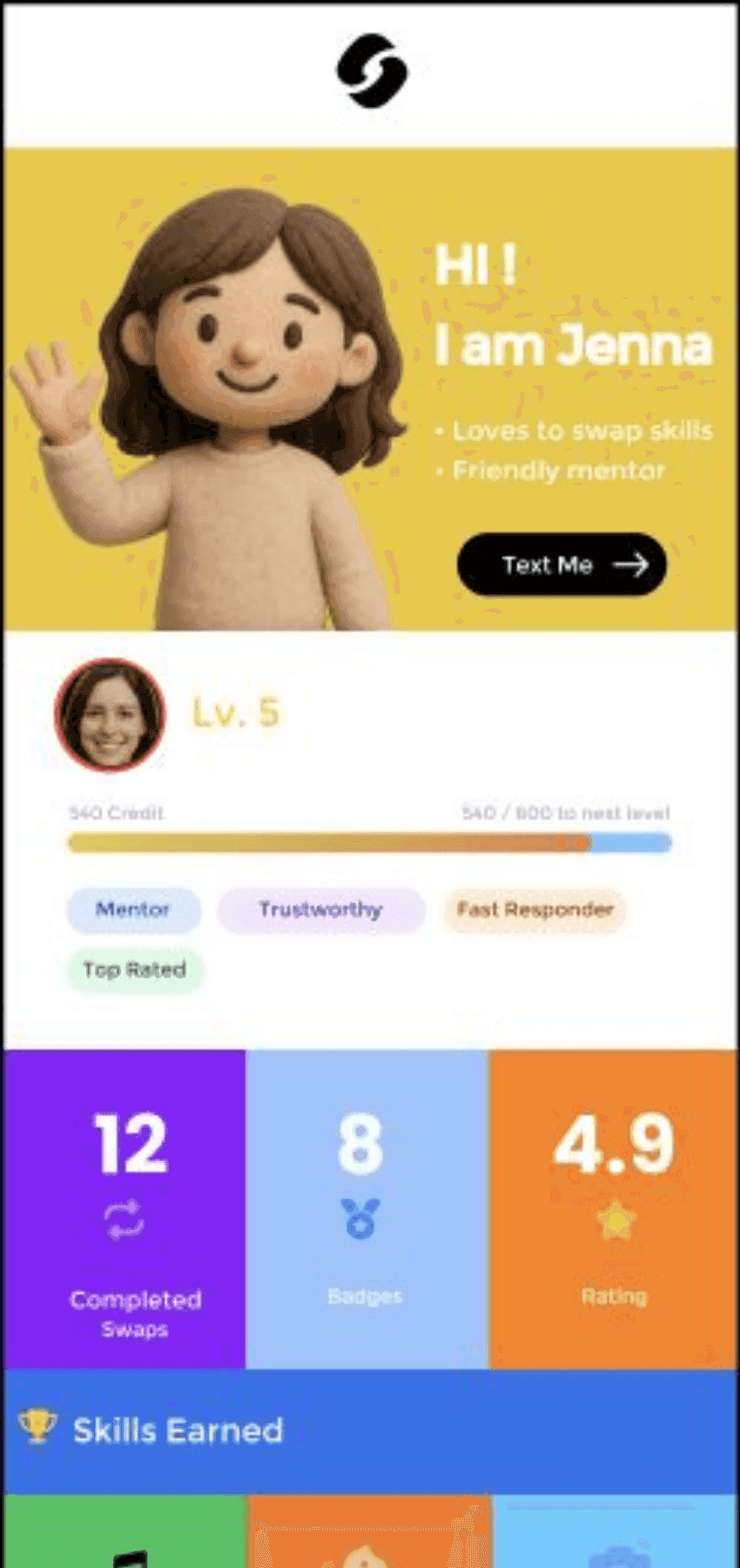 HOVER TO SCROLL · CLICK FOR FULL LENGTH
 HOVER TO SCROLL · CLICK FOR FULL LENGTH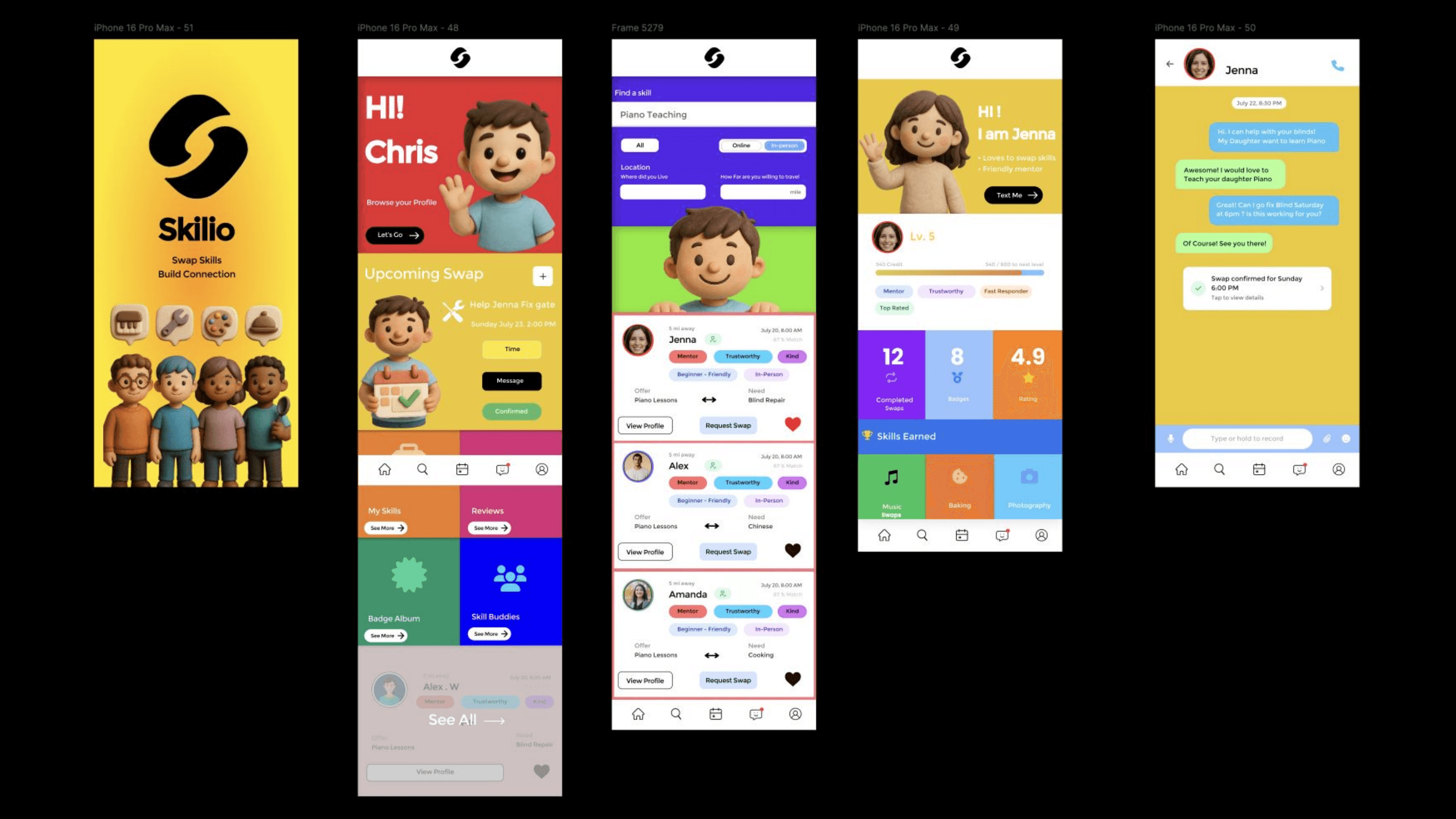

 Skilio